Sample No. 0063
Google Home Update Adds Local Matter Control and Better Gemini Voice Handling
Google Home’s update improves Gemini responses, camera playback and device controls, while moving existing Philips Hue bridges to local Matter control.
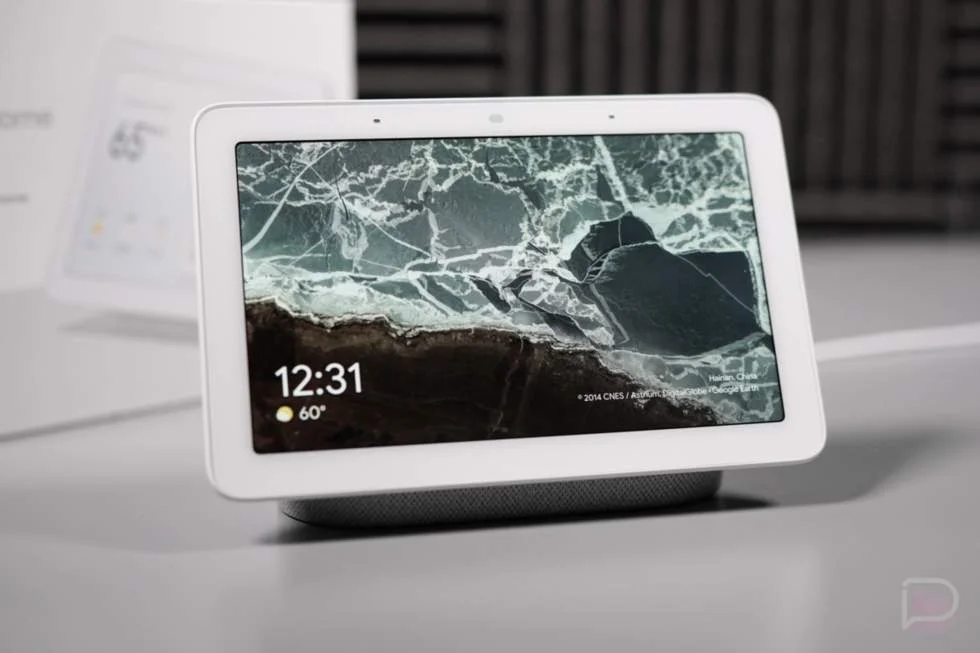
Google Home’s latest update targets everyday friction across voice interactions, device controls and camera playback. Its most consequential change is the automatic move of existing Philips Hue bridges to local Matter control through Google Home hubs. The update also adjusts how Gemini for Home handles conversation endings, weather units and commands to stop active audio or timers.
The changes follow a recent Google Home and Gemini for Home update that included more than 20 improvements. This release adds 14 listed changes across the assistant, app and connected devices. Google hasn’t provided performance measurements, so the practical effect of the Matter change and redesigned controls will depend on how they behave in individual homes.
Gemini gets clearer voice and screen behavior
Gemini can now treat a polite or neutral sign-off, such as “Thank you,” as the end of a conversation and reply with a brief, warm goodbye. A direct request to stop talking should instead close the microphone immediately, without continuing the exchange. The distinction matters in a shared room: people often use the same short phrases to wrap up a chat or interrupt an assistant, and the intended outcome differs.
The update also addresses a specific ambiguity around “stop.” Previously, the word could be interpreted as ending the conversation rather than stopping active media playback, a timer or an alarm. Google says that behavior is fixed. This should make the command more useful in the moment, when someone wants an audio stream or alert to stop without having to restate the request.
Weather answers now follow the temperature unit selected for the home in the Google Home app, whether Fahrenheit or Celsius. The setting is under Home Settings, then Temperature Units. That change keeps spoken forecasts consistent with the household’s configured preference instead of returning a mismatched unit.
On smart displays, Gemini’s on-screen text now scrolls faster so it can stay in step with the spoken response. This is a small interface adjustment with a practical aim: people glancing between the display and the voice answer should have less trouble following along. The update also changes how Gemini interprets requests for relaxing audio. Phrases such as “spa music” and “meditation music” should now route to a music provider, rather than producing ambient sounds such as rain or white noise.
Home app changes focus on daily controls
The Google Home app now handles rearranging Favorites more reliably after Google addressed instability in drag-and-drop. Favorites are a quick route to commonly used devices, so making them easier to organize can reduce friction for people who rely on a customized view.
After a smoke or carbon monoxide alarm clears, the app displays a banner with the event and its time. The message gives users a record that the alarm ended. That kind of follow-up is useful because an alert can outlast the moment when it first appears, and people may want to confirm what happened after returning to the app.
Google has also rebuilt controls for third-party lights, plugs and switches. The refreshed interface is intended to make power, brightness and color adjustments feel more tactile and responsive. The description is Google’s characterization; the release notes don’t specify changes to response time or the underlying device connections.
For most full-screen device controllers—including lights, plugs, switches, fans and air purifiers—a swipe up from the bottom opens a settings panel. It provides shortcuts to add a device to Favorites, view its history, find help, send feedback and open full settings. Putting these actions behind a consistent gesture may help keep the main controls uncluttered, though users will need to learn the gesture to find them.
Camera fixes and local Matter control
Three camera fixes address different playback problems on iOS and Android. On iOS, a camera tile that remains stuck on an old snapshot should now retry its connection automatically. On Android, dragging the timeline while a recorded event is paused should no longer leave the player spinning, and selecting a snapshot in event history should no longer produce a playback error. The selected event should also be highlighted correctly on the timeline.
The Matter change has the clearest potential to affect responsiveness. Google says existing Philips Hue bridges will upgrade in the background to local Matter control through Google Home hubs, with no need to pair them again. Compatible Matter devices can also use local control when a compatible Matter hub is present.
Local control lets commands travel through the home hub rather than depending on an external connection for each action. That can reduce the delay between a command and a device response, and may help when internet access is interrupted. The notes describe faster response and greater reliability as expected benefits, but provide no measurements or device-by-device compatibility details. The actual result will depend on the bridge, hub and devices in a given setup.
For Hue owners, the key question is whether the background upgrade improves the lag they experience without requiring changes to existing pairings. For other Matter users, having a compatible hub is a prerequisite. The update’s value will become clearer as households see how these local routes perform in daily use, alongside the Gemini and camera fixes.
Google Home update notes. The original report is available here.
 ===
===

