Sample No. 0215
YouTube Adds Custom Feeds and Redesigns Mobile Navigation
YouTube’s new custom feeds let users group videos by topic, while a refreshed top bar and shorter bottom bar change how they move around the app.
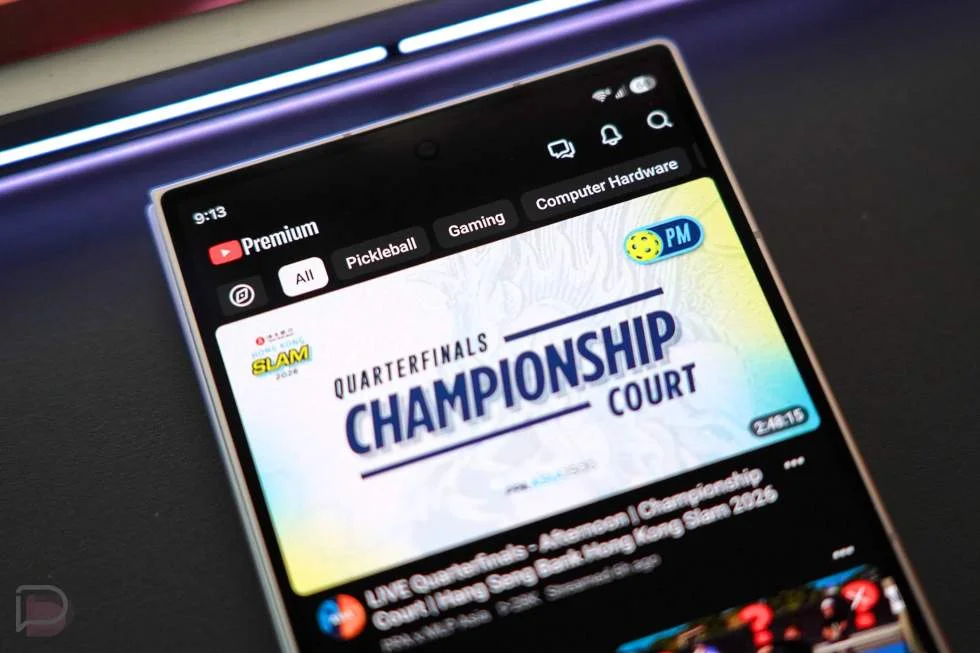
YouTube is changing where key destinations appear and adding a way to build feeds around specific interests. The practical shift is that subscriptions move out of the bottom navigation, while user-created topic feeds join a redesigned row of shortcuts. For people who rely on the app’s existing layout, the change will take some getting used to; for those with several distinct viewing interests, custom feeds could make discovery more deliberate.
Custom feeds add a new way to organize viewing
The new “+” button lets users create feeds focused on subjects they choose. A feed might collect material about building custom keyboards, or bring together witty podcasts suited to a 30-minute commute. Those examples illustrate the range: the feature is meant to accommodate a particular topic or viewing mood, rather than only broad sections defined by YouTube.
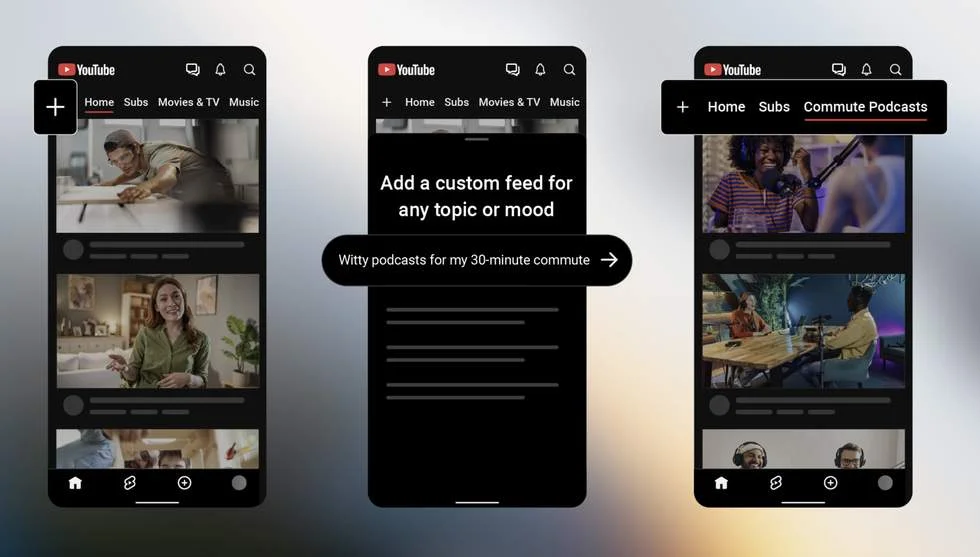
Users can set up more than one custom feed. That could be useful for separating interests that otherwise compete for space in the same recommendations, such as music, practical tutorials and entertainment. The source doesn’t explain how YouTube selects videos for these feeds, whether users can fine-tune the results, or how a feed changes over time. Those details will determine whether the feature works mainly as a convenient shortcut or as a meaningful way to shape discovery.
For now, the clearest promise is organizational: users can make destinations for the topics they care about and reach them from the top of the app. That may reduce the effort of repeatedly searching for a niche subject, though the value will depend on how accurately each feed reflects its chosen topic.
Subscriptions move to the top
The refreshed top bar puts shortcuts to Home, “Subs,” Live, Music, and Movies & TV alongside the “+” control and any custom feeds a user has created. “Subs” is the new label for the subscriptions destination. Previously, the top row could display individual subscriptions or areas based on interests, so the new arrangement gives it a more defined set of destinations while making room for personal feeds.
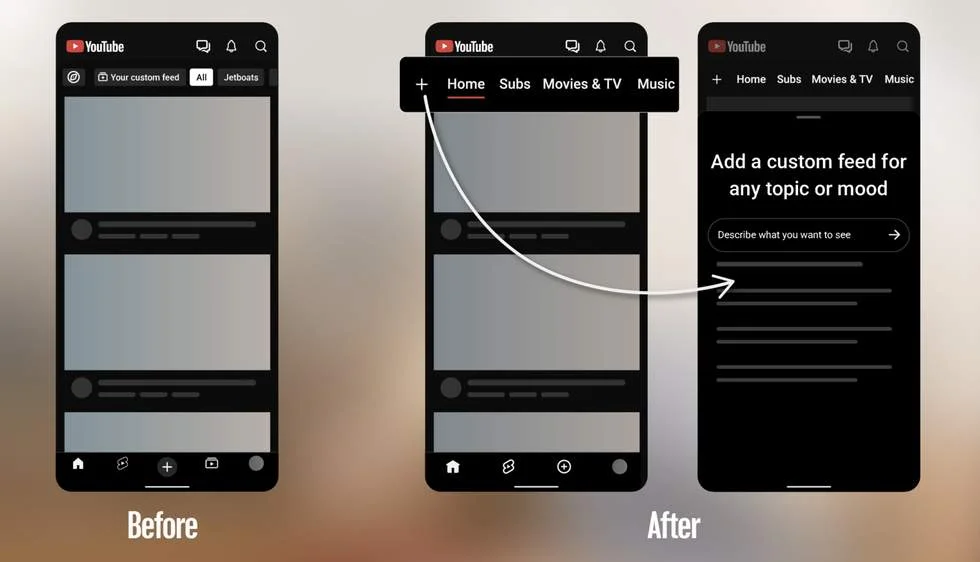
That placement changes the path to subscribed channels. Subscriptions leave the bottom bar entirely, which now contains four options: Home, Shorts, Create, and You. The lower navigation therefore focuses on a smaller set of broad app areas, while the top row carries more of the viewing categories and personalized destinations.
This division could make sense for users who switch often between different kinds of viewing: the bottom bar keeps common destinations visible, and the top bar provides a row of content sections. But it also asks existing users to build a new habit. Anyone accustomed to opening subscriptions from the bottom of the screen will need to look higher up, and people who previously used the top row for individual subscriptions may find its new structure less familiar.
What the rollout means for users
The custom-feed button is rolling out on mobile and desktop in the US. The source doesn’t give a schedule for wider availability, explain whether every account will receive the same layout at once, or describe how existing top-bar preferences will carry over. Until those points are clearer, users should expect the experience to depend on when the feature reaches their account.
There’s also a practical question about space. The top bar now needs to accommodate standard destinations and any custom feeds a person creates. The source doesn’t describe what happens when someone makes many feeds, or whether the row scrolls, prioritizes certain items or offers another way to manage them. Those interface details will shape whether the extra choice stays easy to use as a feed collection grows.
The main change is straightforward: YouTube is moving subscriptions upward and giving users a way to group content around their own subjects. The layout is a modest redesign, but custom feeds could have a larger effect on how people return to specialist interests. As the feature reaches more accounts, the key things to watch are how feeds are populated, how easily users can manage them, and whether the shorter bottom bar makes daily navigation feel clearer.
Read the original post: Your YouTube App is About to Look a Lot Different


