Sample No. 0216
Foldy Brings iPhone Duo’s Tent Display Idea to Android Foldables
Foldy turns a partly opened Android foldable into an at-a-glance display for a clock, calendar, weather and more, with paid multi-widget options.
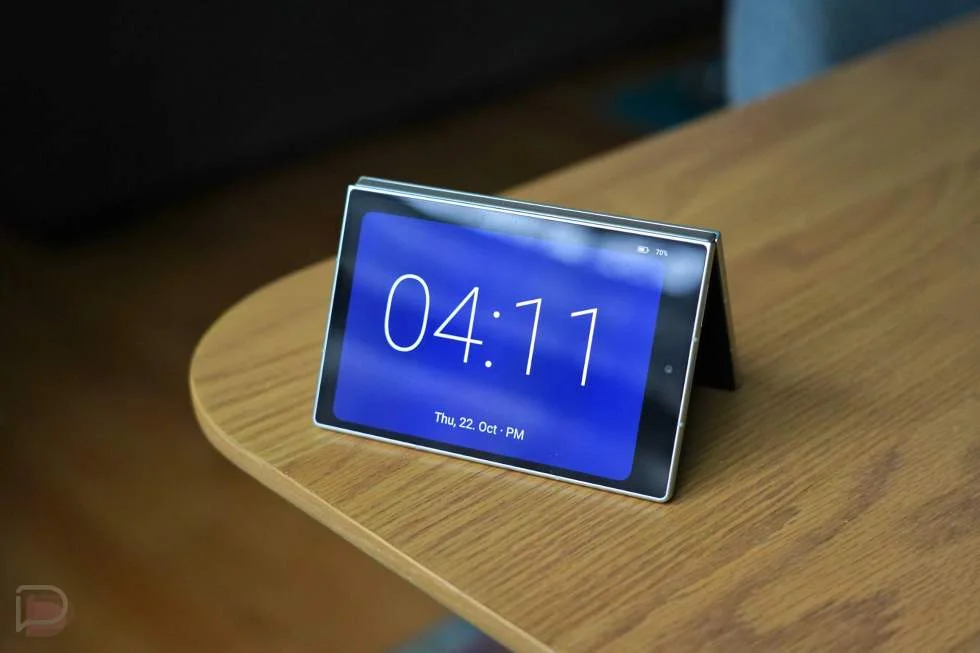
A foldable can do more than open into a larger screen. Set one partly open on a desk, and its outer display could become a small information panel. Apple’s iPhone Duo has put that idea into practice with Standby Mode; now a third-party Android app called Foldy brings a similar setup to Samsung and Google foldables.
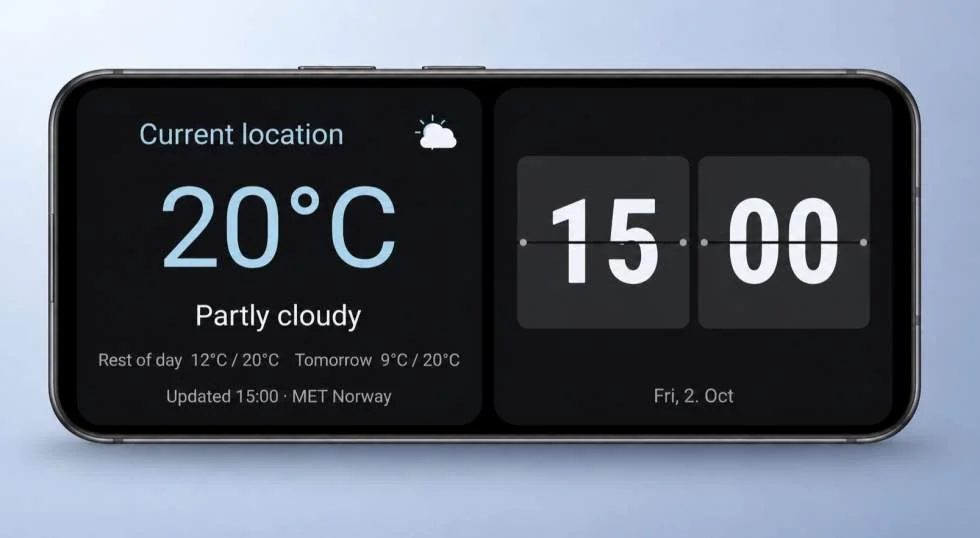
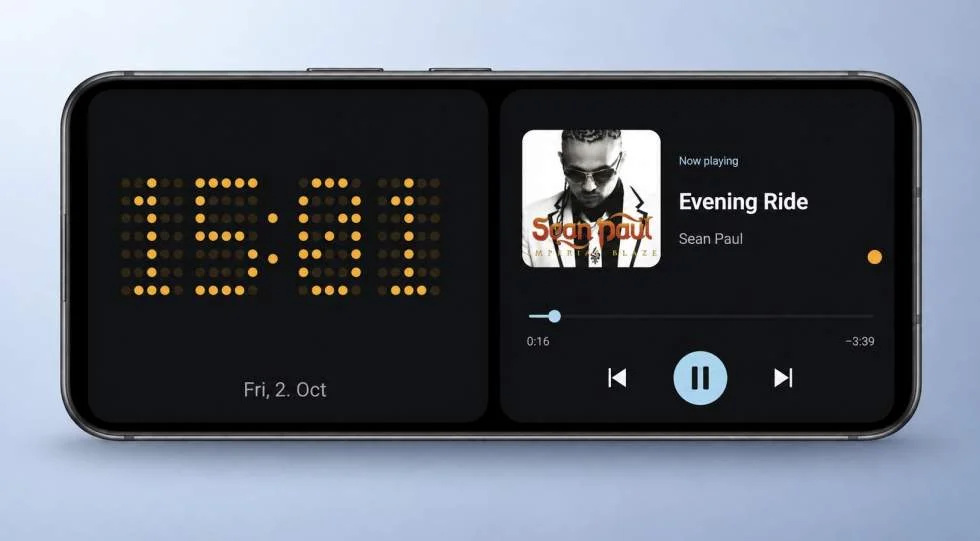
The appeal is practical: when a phone is propped open like a tent, the cover screen can show useful details without requiring someone to pick it up and unfold it. A clock, weather, calendar entries, music controls and battery status are among the examples described for Foldy. That gives the outside screen a clear job while the device is resting on a table.
Using a foldable as a desk display
Foldy is designed to show information on the cover display while a foldable sits partly open and on its side. The shape is familiar to anyone who has propped a device up for viewing, but the app makes that position useful even when the owner isn’t watching a video. Instead, the screen can act as a glanceable display for selected widgets.
The distinction matters because a foldable’s larger inner screen is most useful when someone is actively using the device. A tented phone is in a different state: it’s visible, but reaching over to open it just to check the time or a calendar item is a needless interruption. A persistent display could make that resting position more useful, provided the screen remains readable and the information updates as expected.
The source article reports that Foldy worked during a hands-on trial. It names the Galaxy Z Fold 8 and Pixel 11 Pro Fold as examples, and says the app can also be installed on other Android devices. Foldables are the most natural fit for the feature because their hinge lets them stand at an angle, though the article doesn’t describe how the experience differs across device models.
Free access covers one item
Foldy’s free version displays one widget or item at a time. That could be a clock or calendar, for example. Showing multiple pieces of information together, such as a clock alongside weather, requires the paid version. That split gives people a way to try the basic idea before deciding whether a richer display is useful enough to pay for.
At the time of the source article, the paid plan offered a three-day free trial followed by a price of $0.89 per month. A lifetime license was listed at $8.99. Those terms make the app inexpensive to test, though the value depends on whether the phone spends enough time propped up to justify keeping the feature. The article’s author expects many users interested in combining widgets to choose a paid option, but that’s a judgment rather than a measured result.
For someone who only wants a clock, the free tier may be enough. The paid tier is more relevant when the point is to see several kinds of information at a glance, such as weather and calendar details together. That’s the practical trade-off: the app’s core use is available without payment, while its more flexible layout sits behind a subscription or one-time purchase.
A useful idea, with questions still open
Foldy fills a gap the article says Samsung and Google haven’t addressed with a built-in version of this feature. That makes it a useful example of how third-party software can give existing hardware a new role. It doesn’t require a new hinge or screen; it changes what the cover display does when the device is positioned in a particular way.
There are still details prospective users may want to check on their own devices. The source doesn’t specify how Foldy handles different cover-screen sizes, whether every listed widget is available on every model, or how much the always-on display affects battery life. It also doesn’t explain how the app behaves if the phone shifts position or closes. Those details can shape whether a feature that looks convenient in a demonstration works well as part of a daily desk setup.
There’s also a longer-term question about whether foldable makers will add a similar mode themselves. A built-in option could offer tighter integration with the hinge, display settings and system widgets. For now, Foldy offers Android foldable owners a way to try the concept without waiting for a device update, and its free single-item mode makes that trial straightforward.
The app is available through Google Play as Foldy – StandBy Mode. Its value will come down to a simple test: whether the phone’s tented position becomes useful enough that a quick glance replaces picking it up.
Read the source article.
===

