Sample No. 0214
Google Health 5.11 Expands Workout Detection, Glucose Goals and Sleep Editing
Google Health 5.11 adds broader activity tracking, glucose goals and sleep controls, while bringing Health Guardian trends to Fitbit Air Premium subscribers.
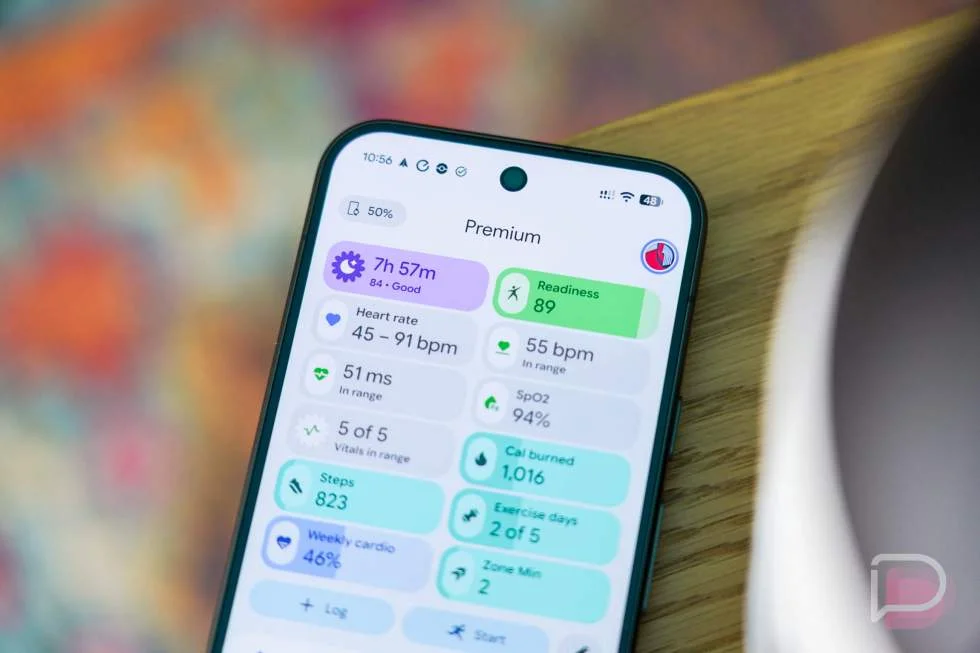
Google Health 5.11 makes a set of practical changes across activity, glucose and sleep tracking. The biggest shift may be on Fitbit Air: automatic workout detection now covers up to 100 activities, compared with about 10 before. The update is rolling out for Android and iOS, and also improves activity detection on Pixel Watch 3, 4 and 5.
The release follows Google’s earlier update about the changes alongside its Fitbit Air feature details and the Fitbit Edge announcement. Despite the small version number change from 5.10, 5.11 touches several parts of the app and its connected devices. Some functions depend on a subscription or compatible hardware, so the update won’t deliver the same experience to every user.
Workout detection covers more activities
Google says Fitbit Air and the listed Pixel Watch models can now identify up to 100 types of activity, including strength training, swimming, racket sports and team sports. Expanding the range matters for people whose workouts don’t fit the narrow set of activities that a tracker could recognize automatically before. It may also reduce the need to start and stop a workout manually.
The system now considers more than heart rate and movement in isolation. Google says it uses workout routines, past activity data and manual edits to refine its predictions. The company describes the result as nearly twice as accurate, with more than half as many missed workouts. Those are Google’s claims; the update details don’t specify how accuracy was measured, so everyday results will depend on how well the software handles a person’s routines and activities.
For an activity to be logged automatically, it must meet the user’s minimum duration threshold, which is 15 minutes by default, and show a sustained elevated heart rate. Google says the app typically receives a workout summary within 30 minutes. That delay means automatic logging can reduce manual effort, but it may not provide an immediate record during or just after exercise.
Users can confirm or edit a detected activity, and Google says those corrections help the system learn individual patterns. That makes manual review part of the feature’s feedback loop: the tracker proposes an activity, and the user’s correction can inform later predictions. Whether that learning noticeably improves detection will take time to judge, particularly for people with varied routines.
The changes address a reported frustration with Fitbit Air, where automatic detection could be slow and workouts could take time to process. The expanded activity list and added context target both missed sessions and incorrect classifications. They don’t, by themselves, establish how much faster processing is for every workout or device.
Health Guardian comes to Fitbit Air
Fitbit Air gains two Health Guardian features that first appeared on Pixel Watch 5: Blood Pressure Trends and Insulin Resistance Trends. They require Google Health Premium, so Fitbit Air owners won’t get them as free features with the device.
Both features build trends from repeated wear rather than a single reading. Blood Pressure Trends requires five consecutive days of wear. Insulin Resistance Trends needs at least seven consecutive days and nights. The app then provides reports over time, giving users a view of patterns that can be harder to spot from occasional checks. The update details don’t explain the underlying calculations or how users should interpret the reports, so these features are best understood as trend tracking within the app.
Glucose tracking gains custom goals
The app now calls “blood glucose” simply “Glucose” throughout its interface, including charts and graphs. The more functional change is the ability to set a personal time-in-range goal for glucose data from a connected continuous glucose monitor. Users can find the setting in the Health tab’s Metabolic section by opening Glucose, then Settings, then Set goal.
Google also says people in the United States can connect Lingo by Abbott directly to Google Health, with readings appearing in the app within 30 minutes. Premium members can ask Google Health Coach³ questions about their glucose trends. To connect the service, the app directs users to their profile icon and then Partner Apps. The stated syncing window gives a clearer expectation for when readings should appear, though it doesn’t promise that every reading will show up immediately.
Sleep records are easier to correct
Sleep tracking now uses step data to improve its detection of short awakenings, such as getting up during the night. That adjustment could help the app distinguish brief periods out of bed from uninterrupted sleep. Google hasn’t provided a measurement of the improvement, so users will need to see whether their own records better match their experience.
Nap editing is more direct: a nap that doesn’t belong in the record can be removed from its nap card. This is a modest interface change, but it gives people a quicker way to correct sleep data without leaving the relevant view.
Google Health 5.11 is rolling out now on both platforms. The most consequential changes are the broader activity detection and the new Fitbit Air trend features, with the latter gated by Premium and consecutive days of wear. For users already relying on the app, the practical test is whether automatic logs become more dependable and whether the revised sleep and glucose records are easier to use.
Google Health apps: Google Play | App Store
More details: Google Health
Read the original post: Google Health Update to 5.11 Brings Several Huge Upgrades
===

