Sample No. 0237
iPhone Duo Apps: 7 Designs That Make the Foldable Screen Useful
Netflix, Edits and five more apps show what the iPhone Duo’s large inner display can do, while side-by-side mode gives everyday apps room to work together.
The iPhone Duo’s large inner display only earns its keep when apps make good use of it. Apple’s own software is already tuned for the foldable, but third-party support is uneven: some popular apps still look unfinished on the expanded screen, while a handful show how thoughtful design can make the extra space useful, fun or simply more pleasant to look at.
These seven apps stand out for different reasons. Some adapt familiar tasks to the wider display; others treat the Duo’s folding body as part of the interface. A few are more demonstration than daily essential, but that’s part of the point: a foldable can enable interactions a standard phone can’t easily reproduce.
The original testing included some advance app builds, so details may vary in finalized versions. Apple’s own apps aren’t included; they’re already optimized for the device and come with it.
Netflix makes the fold part of the experience
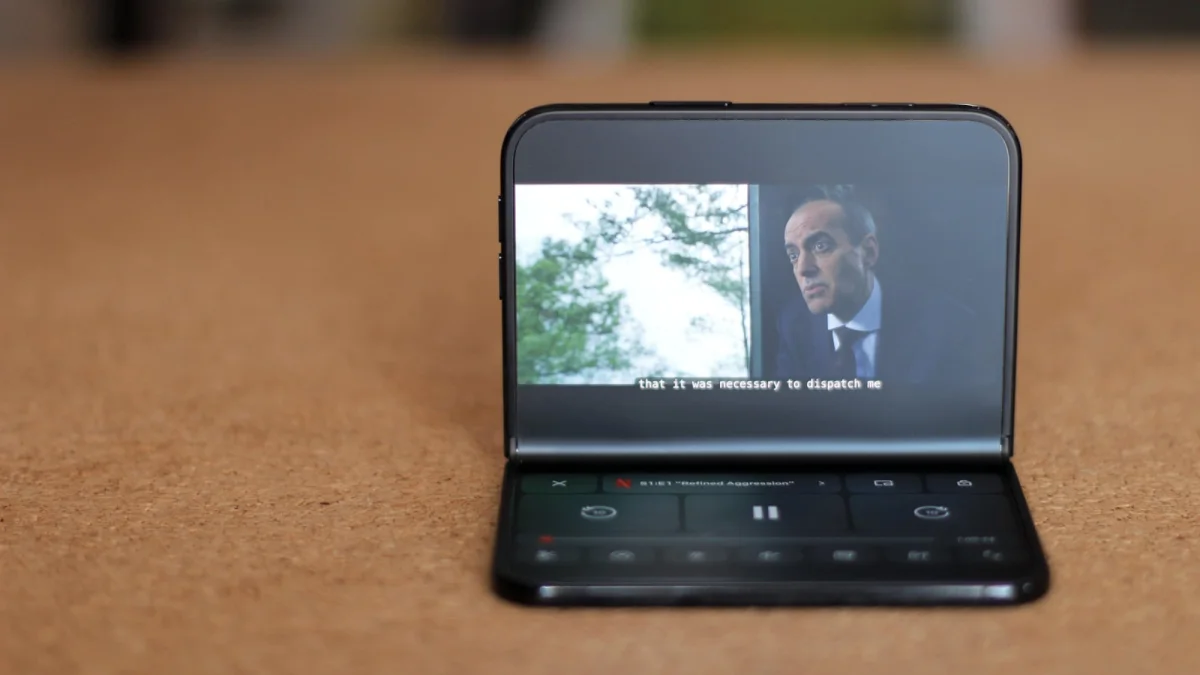
Netflix was among the first apps to receive a full Duo redesign, and it’s an effective showcase for the device. The inner display gives browsing more room, while the app changes its behavior depending on how the phone is folded and positioned. Not every interaction will become part of a regular viewing routine, but the design shows that adapting an app for a foldable can mean more than stretching its existing layout across a bigger panel.
Streaming suits the Duo naturally: a larger display makes video more inviting, and the phone’s different positions give designers options beyond a conventional flat screen. Netflix’s work makes a strong case for the form factor, even if the broader app ecosystem hasn’t caught up yet.
Edits gives video work more breathing room
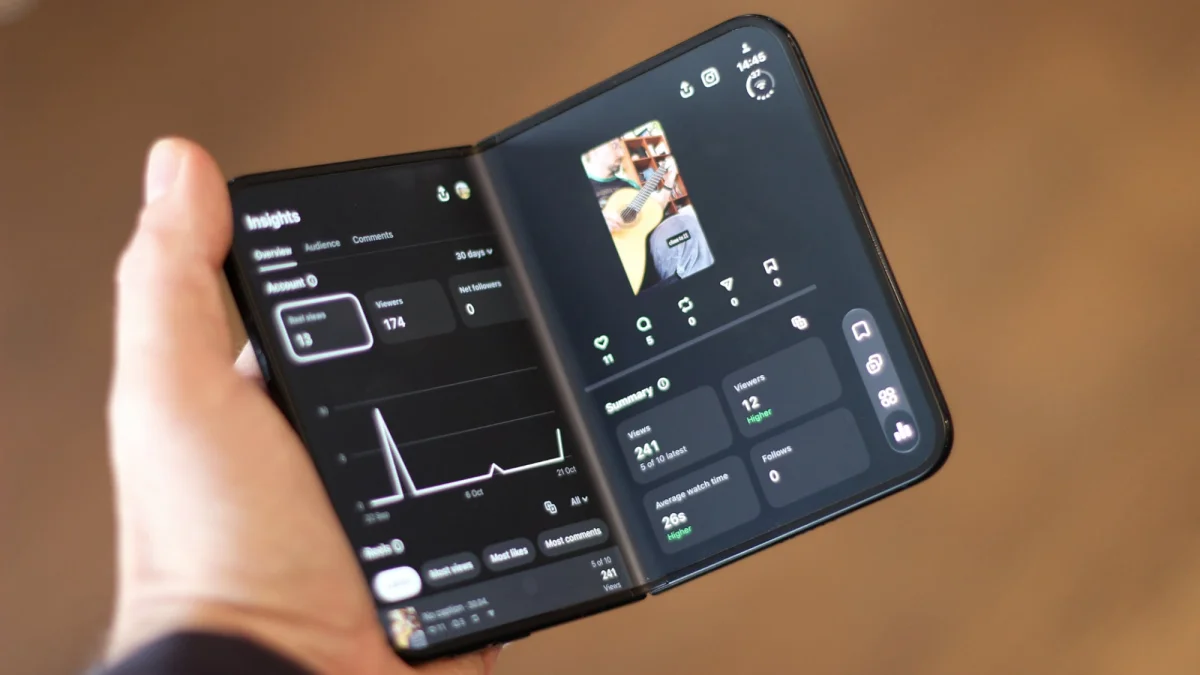
Instagram’s video editor is one of the clearest examples of extra screen space helping with a practical task. Editing involves moving among a project’s details, and those controls can feel cramped on an ordinary phone. Edits has been extensively adapted for the Duo, making the larger inner display a more comfortable place to manage a video project.
Instagram itself has also been redesigned for the device. Its natural fit is vertical viewing, though, so the layout can feel awkward when the Duo is held horizontally. It works, but there’s room for the design to make better use of that wider view.
RainViewer turns weather into a wide map
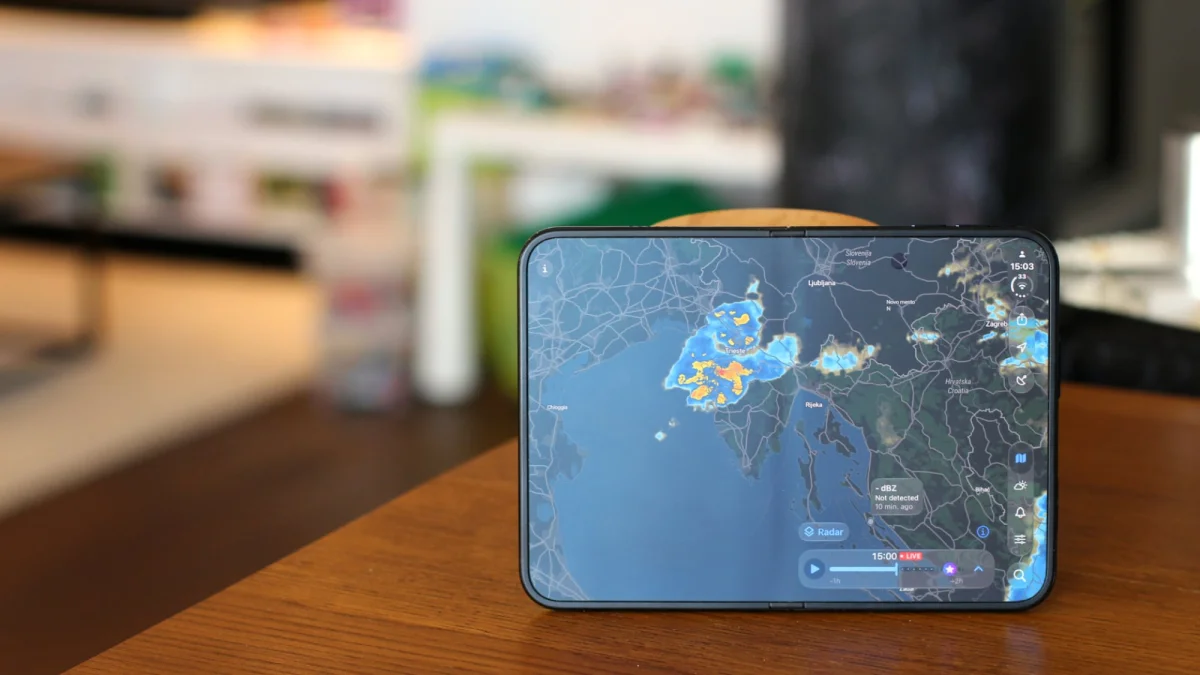
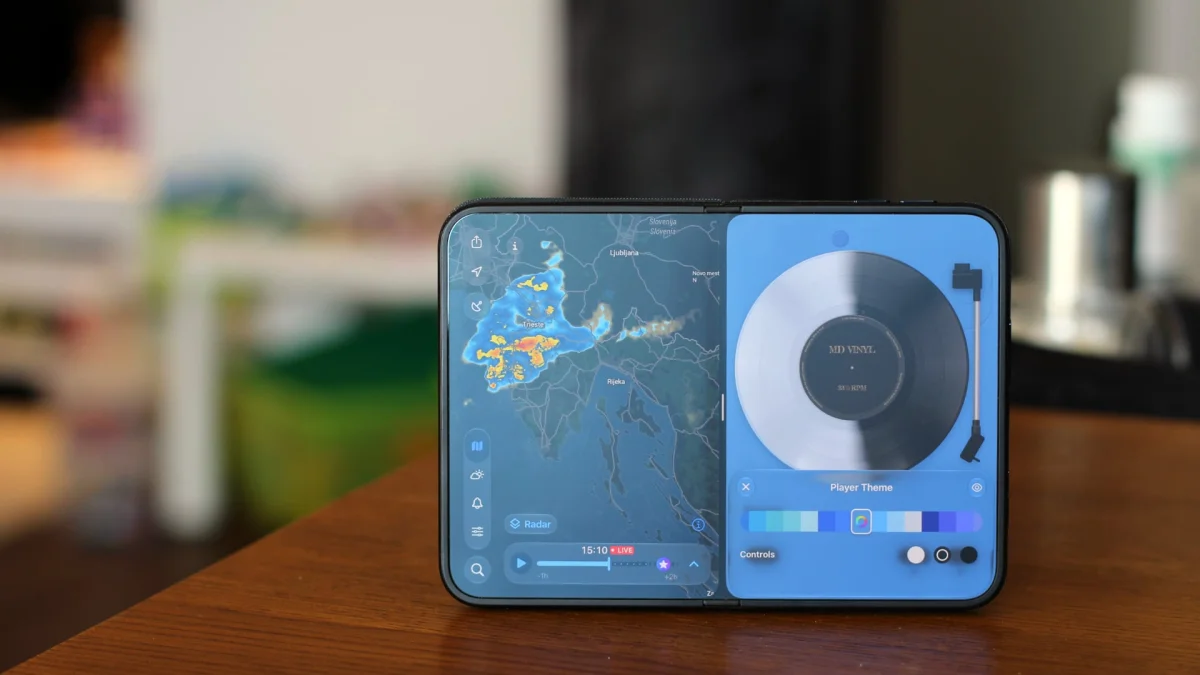
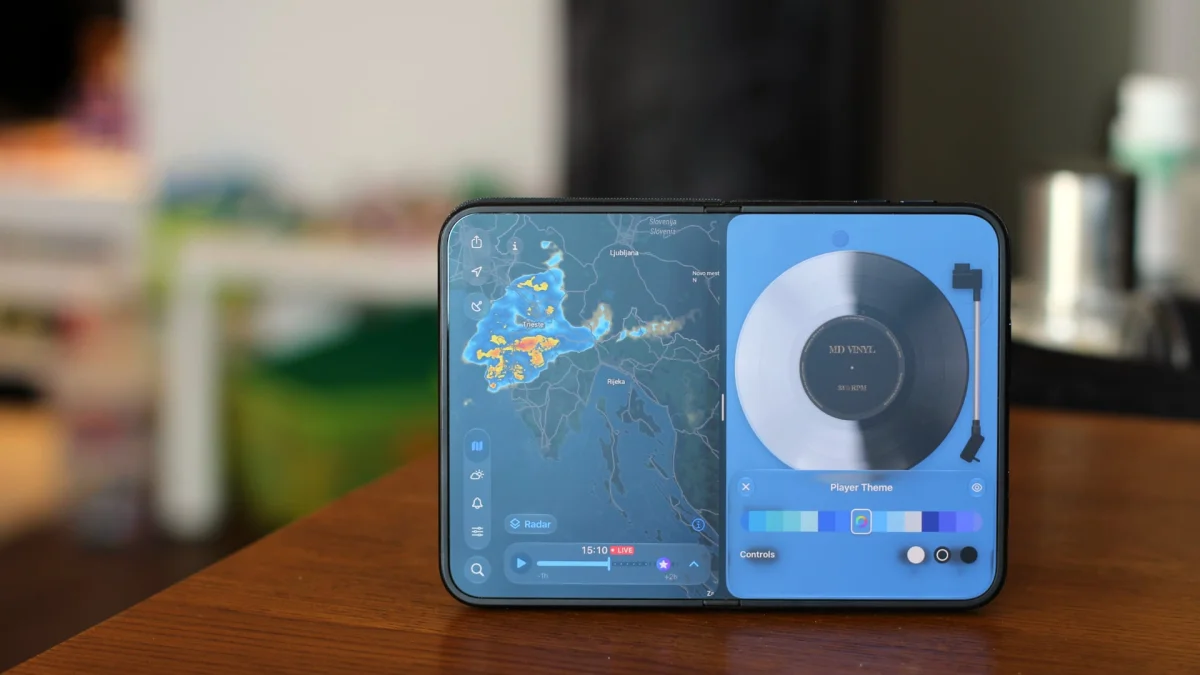
Weather developers have been quick to explore Duo-friendly layouts. Of the updated apps reviewed, RainViewer made the strongest visual impression with a clean map focused on incoming precipitation. At the time of testing, its updated iOS app was awaiting review by Apple, so its availability could differ from the tested version.
Other weather apps with Duo updates include Carrot Weather and Mercury Weather. Maps are a natural fit for the expanded display: more room can make it easier to scan the information presented across the screen.
Deck-man makes folding a playful control
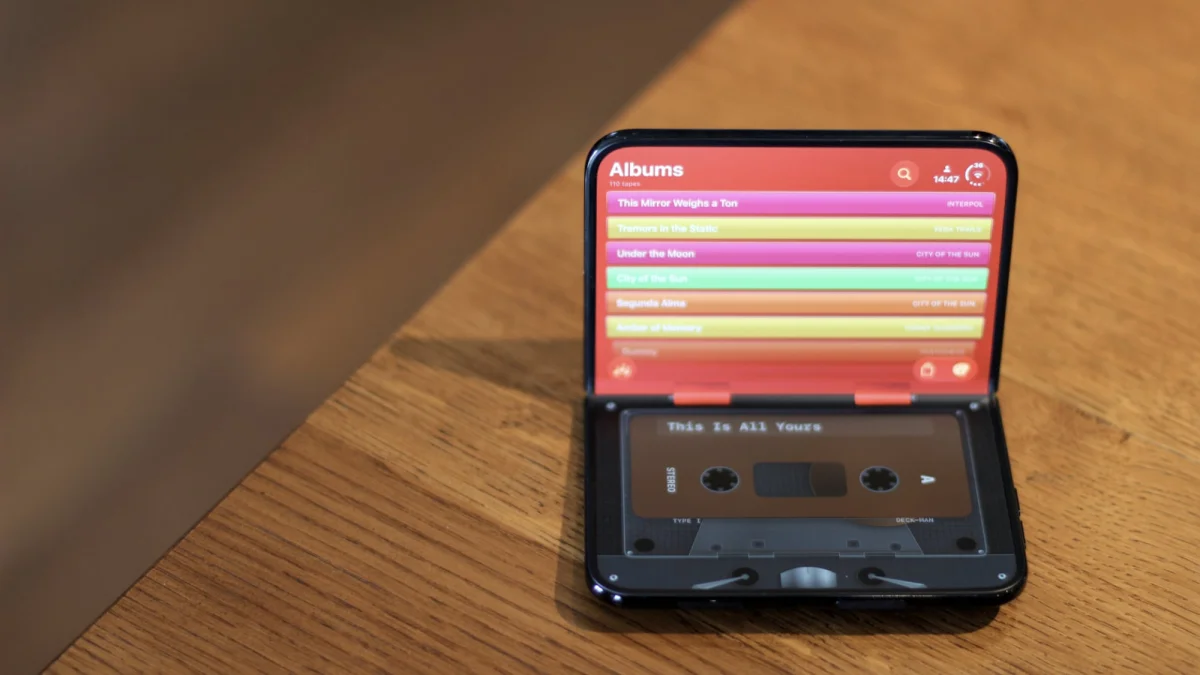
Deck-man recreates a cassette player, complete with virtual tapes that you drag from a catalog on one side of the display to a player on the other. The clever touch is that playback starts only when you fold the Duo, echoing the motion of closing a traditional Walkman.
That interaction is more novelty than convenience, and it’s hard to mistake the app for a serious music player. But it demonstrates what a folding phone can offer: the hinge can become part of the software’s controls, not just a way to store a larger screen in your pocket. The retro presentation will likely land best with people who remember cassette players.
Headspace shows the value of simple design
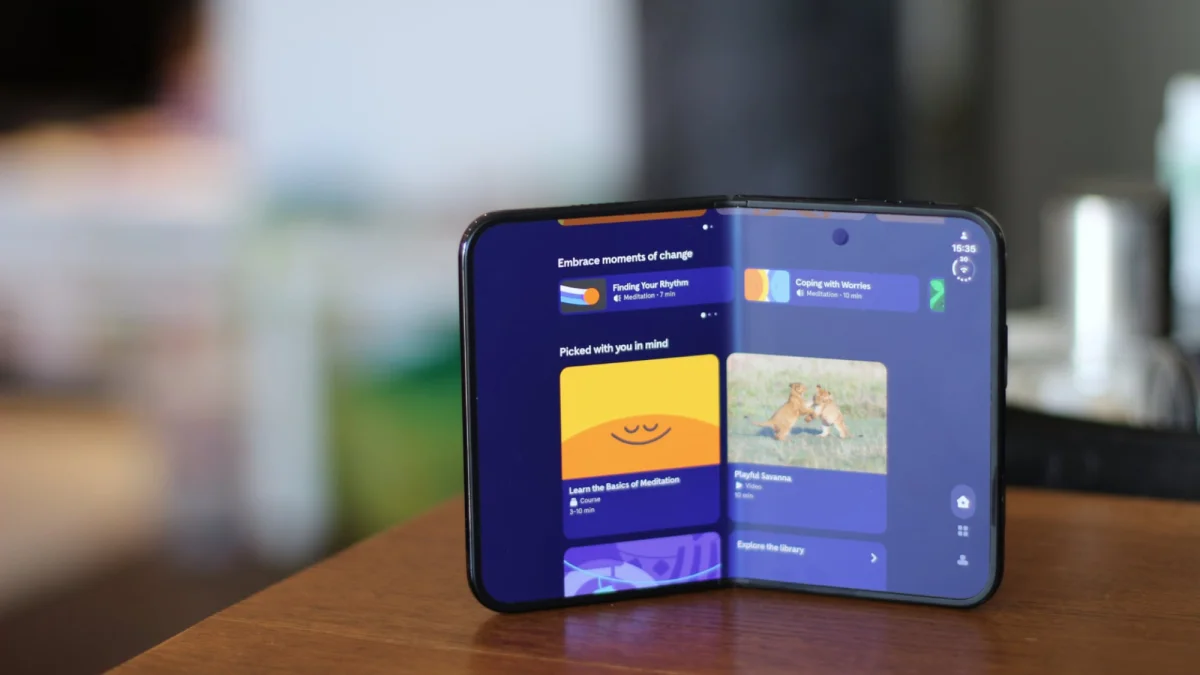
Headspace doesn’t need elaborate controls to make the Duo feel considered. Its simple graphics work across the expanded display, and the first opening presents a smiling sun rising across the screen. It’s a small design choice, but an effective one: the added space can support a more expressive visual moment, even in an app built around a straightforward task.
Finalist turns the Duo into a desk planner
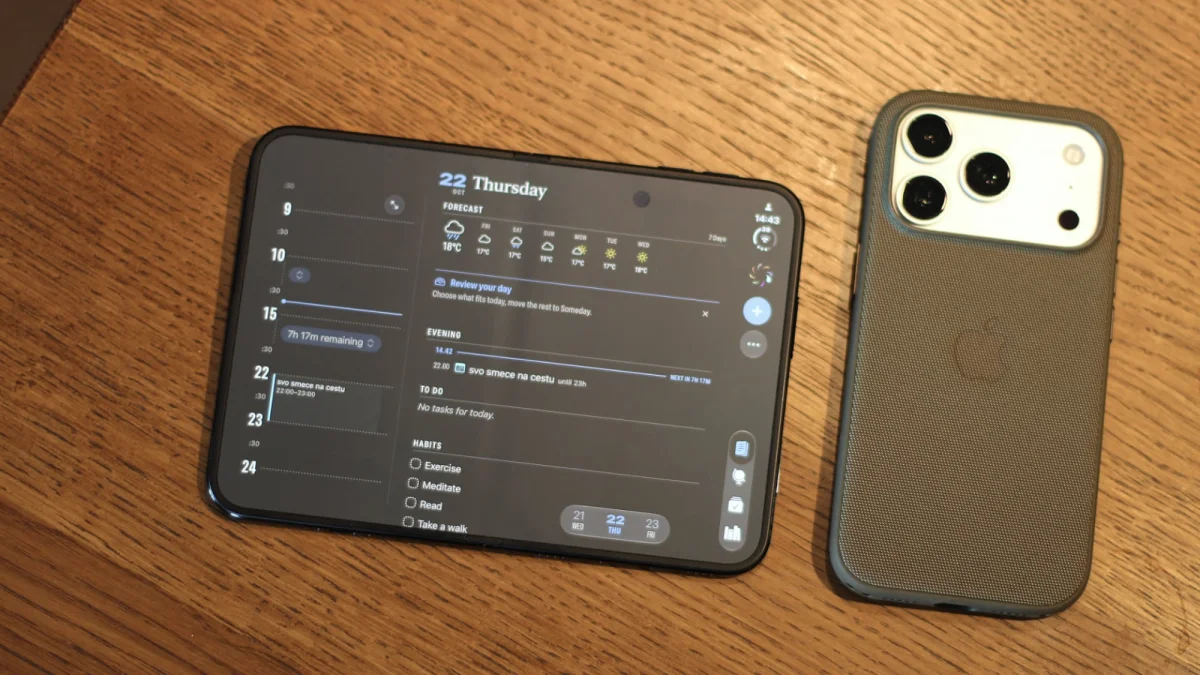
Finalist combines a daily planner and journal, with layouts tailored to the Duo and its different orientations. Its appeal is especially clear when the phone is opened flat on a desk: tasks and meetings sit in a notebook-like view, and the matte inner display suits that presentation. It’s a useful example of hardware and software working together to give a familiar planning tool a distinct feel.
MD Vinyl makes music a tactile display
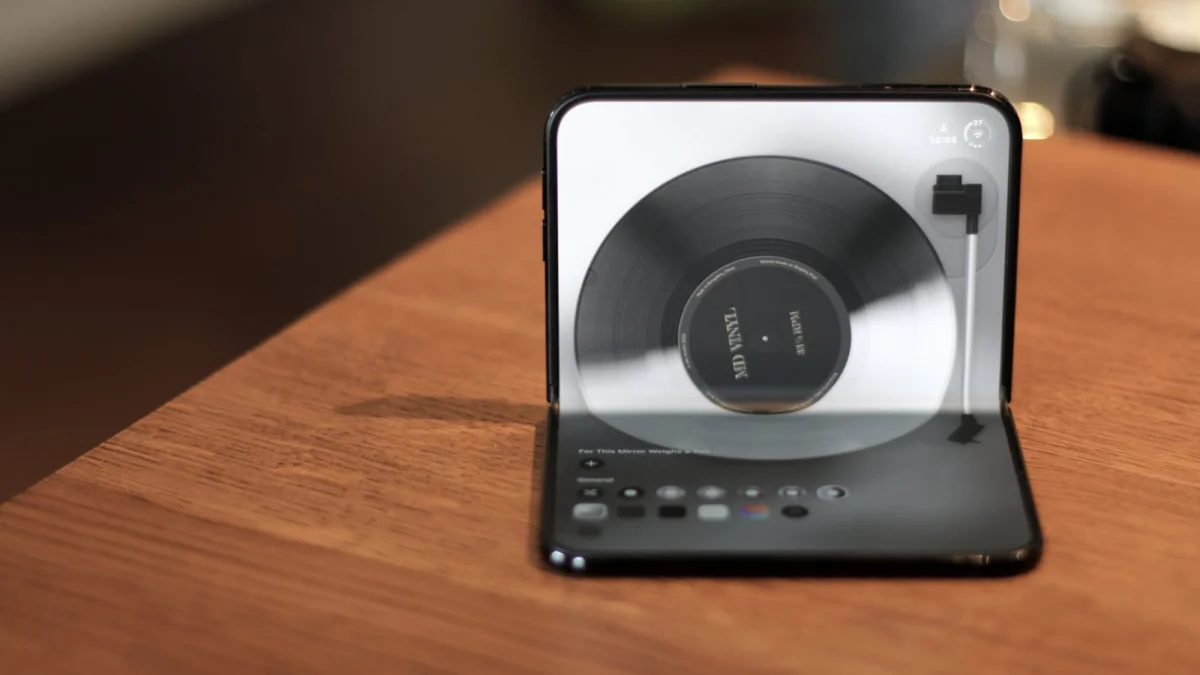
MD Vinyl gives music a record-player interface. To start a track, you move the virtual needle onto the record. The app works on a standard iPhone too, but the Duo’s larger screen gives the visual treatment room to breathe. Like Deck-man, it’s better understood as a playful way to present music than a necessary replacement for a conventional player.
Side-by-side mode makes ordinary apps more useful
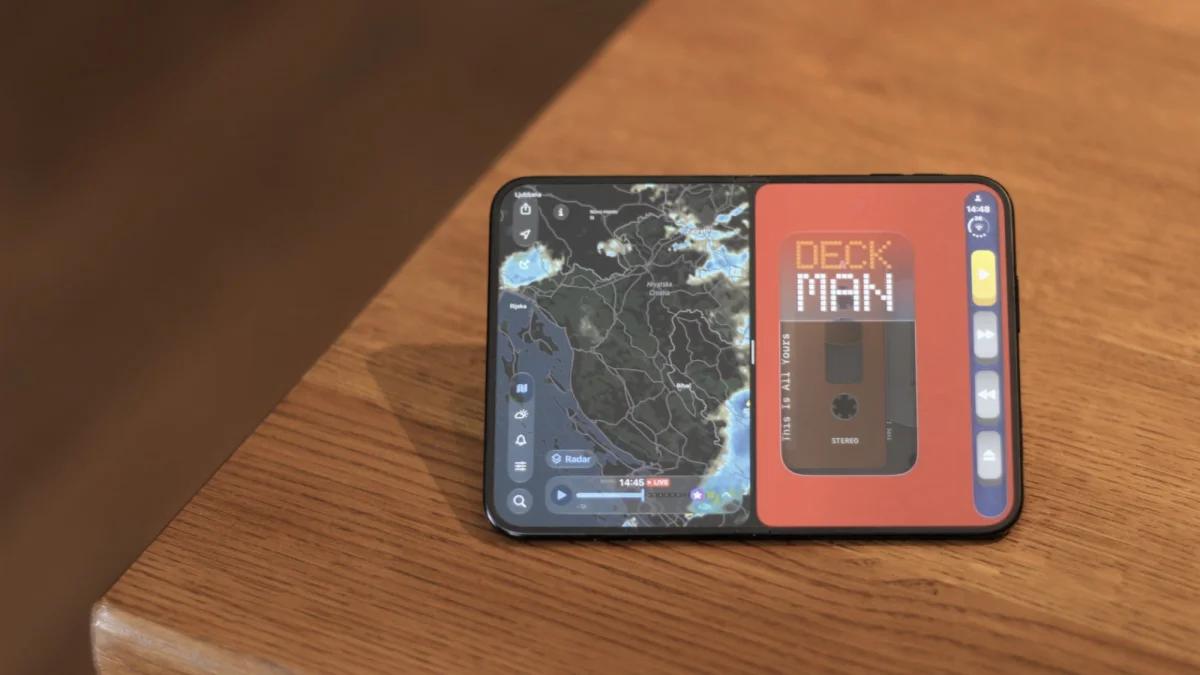
The Duo’s side-by-side mode may have the broadest practical appeal of all. It lets two apps run next to each other in landscape orientation, so a video call can stay open while you check the weather, or email can sit alongside a calendar. Some combinations can be saved together for quick access.
That feature puts the extra display to work without requiring every developer to invent a fold-specific trick. The best apps in this group show what tailored design can add; split-screen use shows how much everyday multitasking can benefit from more room. The next test for the Duo is whether more third-party developers make their layouts feel as considered as these examples.