Sample No. 0218
Pixel Phones May Add Numbered Notification Badges in Android 17
Android 17’s beta points to Pixel badge options for numbers, dots or none, giving users more at-a-glance detail without opening apps.
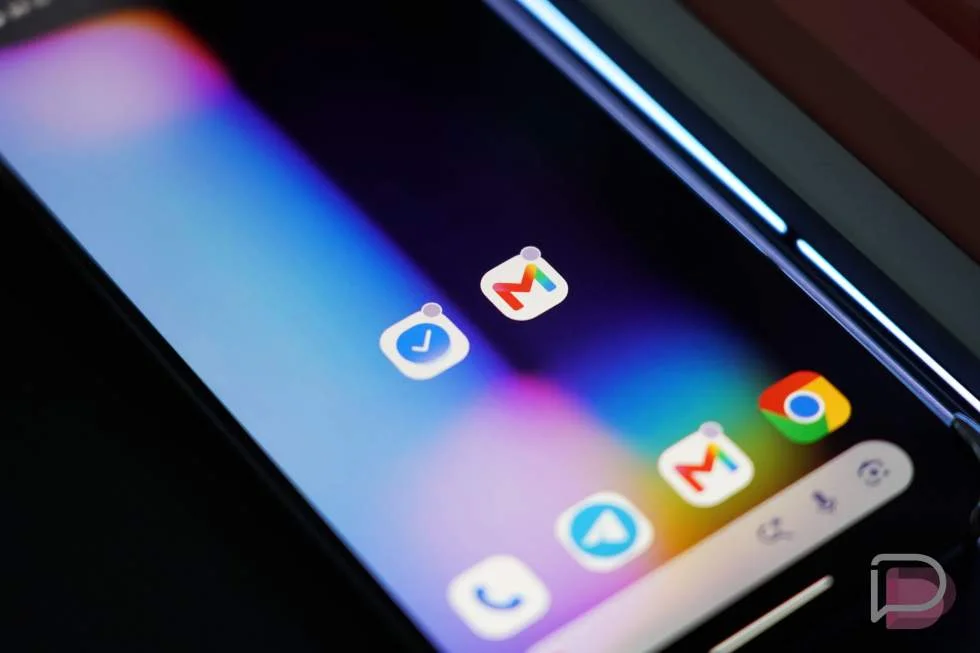
Pixel owners may soon be able to see how many alerts are waiting in an app, instead of relying on a notification dot. A hidden change in Android 17 QPR3 Beta 2 adds a setting for numbered notification badges, a small interface update that brings Pixel closer to options already found on many other phones.
The change is still in development, so its presence in the beta doesn’t guarantee it will reach a final build. But the proposed controls suggest Google is considering a more flexible badge setting: show a number, keep the familiar dot, or display no badge at all.
From a dot to a count
On a Pixel today, the badge on a home screen app icon signals that the app has a notification, but it doesn’t show how many. A numbered badge could add that detail at a glance. For example, someone could distinguish an app with several pending messages from one with a single alert without opening either app.
That difference matters most when people use badges to triage activity between other tasks. A dot is a useful reminder, but it treats one alert and a larger backlog alike. A count gives more context, though it can also make a busy home screen feel more crowded. Having a choice lets people decide which tradeoff suits them.
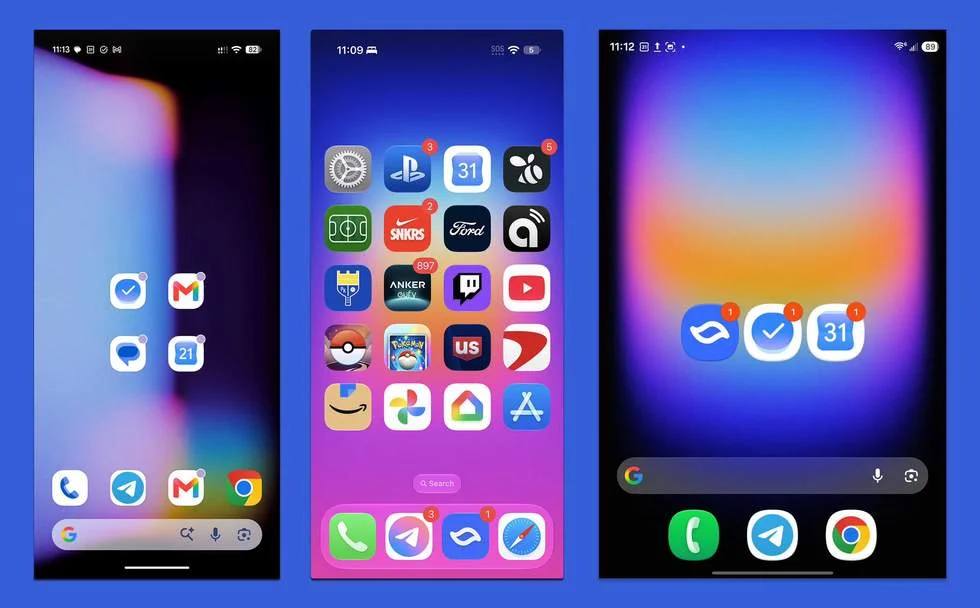
On iPhones, app badges can show a count; the source article gives Mail displaying 752 unread notifications as an example. Samsung phones also offer numbered badges. In the comparison shown below, the Pixel 11 Pro has a dot while the iPhone 17 Pro and Galaxy Z Fold 8 show numbers.
A new setting is taking shape
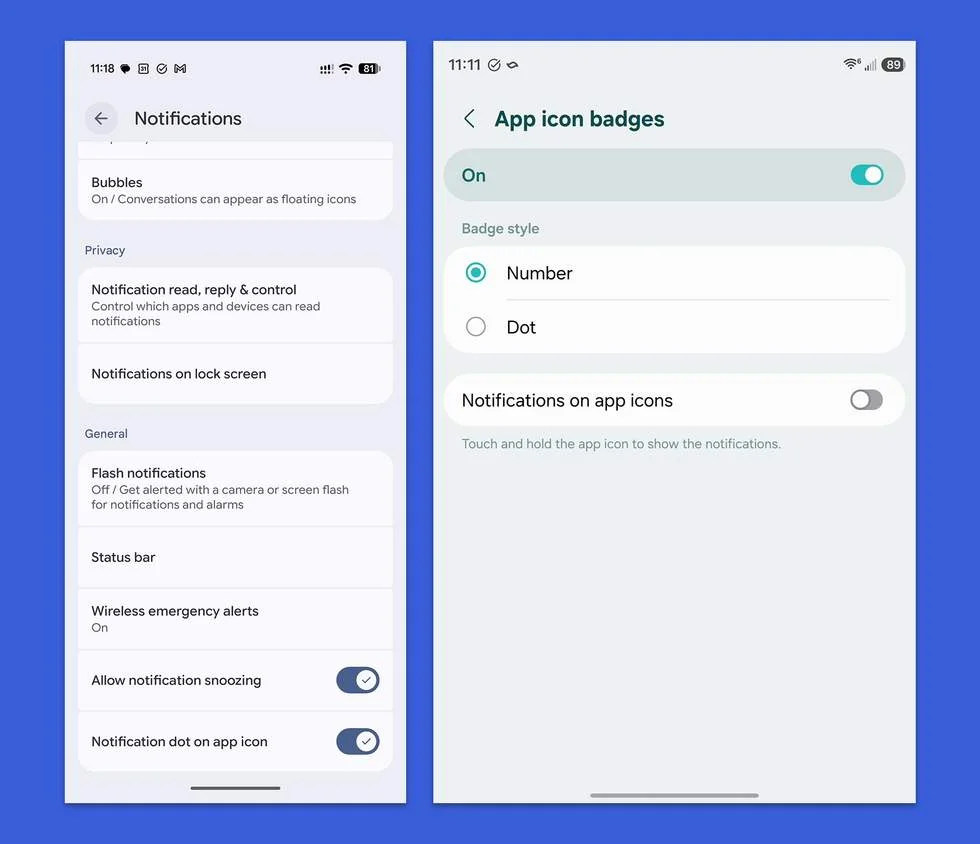
The setting appears in Android 17 QPR3 Beta 2, where researchers examining hidden software changes found a possible revision to Pixel’s notification controls. The current setting is a toggle labeled “Notification dot on app icon,” located near the bottom of the Notifications section. In the beta’s hidden interface, that control becomes an entry to a separate “Notification Badges” screen.
The proposed screen offers three choices: Number, Dot or None. That’s a more direct way to control the information an app icon displays. Choosing Number would show a count, Dot would retain the current Pixel behavior, and None would remove the badge. The change concerns home screen app icons; it doesn’t imply that Android’s status bar or notification shade is being redesigned.
The images below compare Pixel’s current badge treatment with the options available on Samsung phones.
A modest feature with a long wait
This isn’t a major shift in how Android handles notifications. It’s a familiar control arriving on Pixel after other phone makers have offered similar badge choices for years. Still, the practical value is easy to understand: people who want a count could get more information from the home screen, while those who prefer a quieter interface could keep a dot or turn badges off.
For teams assessing the update, the main questions are about timing and behavior. The setting has surfaced in a beta, and its final availability remains unconfirmed. The material available so far also doesn’t explain how counts will be calculated across different apps, whether users will be able to set the style per app, or how the option will interact with launcher configurations. Those details will matter to people who rely on badges as a quick guide to pending work.
For now, Pixel users shouldn’t treat the menu as a feature they can count on in a finished release. The useful signal is that Google appears to be working on a straightforward choice that other phones already provide. If it ships, the change will be small in scope but welcome for anyone who wants their app icons to say more than “something happened.”
Source coverage: Droid Life on Android 17 QPR3 Beta 2 and Android Authority. The original post is available at Droid Life.
===

