Sample No. 0079
AIRer 1.0 Reveals How Siri Handles Proofreading, Image Search and Image Playground
AIRer 1.0 makes Apple’s AI request records easier to read and export, showing how three Siri and Image Playground tasks were processed.
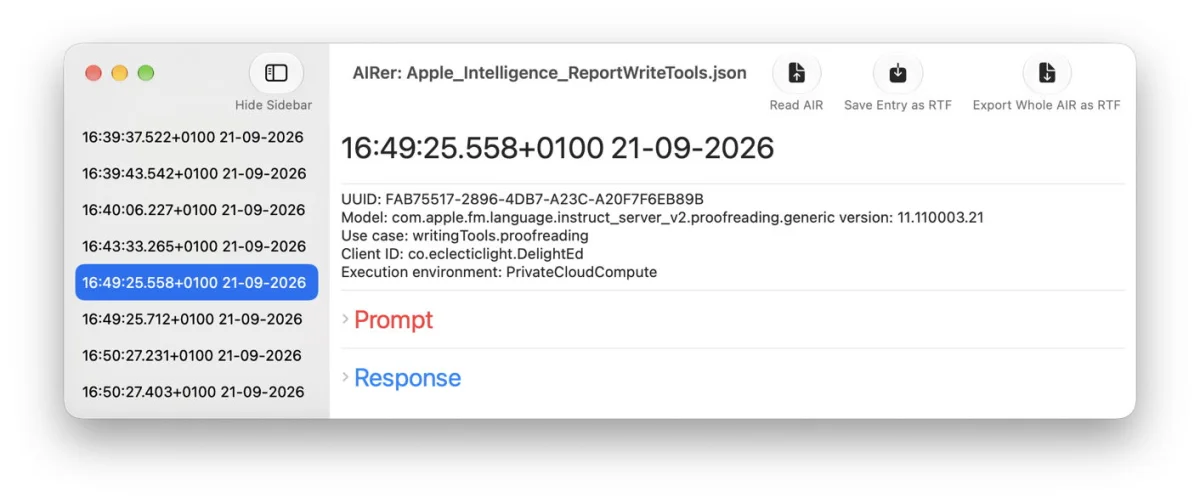
AIRer 1.0 turns Apple Intelligence Reports into a more practical record of what happens behind several Apple AI features. In a recent session, the logs showed Siri splitting a long proofreading job into five pieces, combining image recognition with web search to answer a question about a painting, and translating short Image Playground prompts into detailed instructions. The app’s first full release also adds text selection, collapsible fields and Rich Text export, making those records easier to inspect.
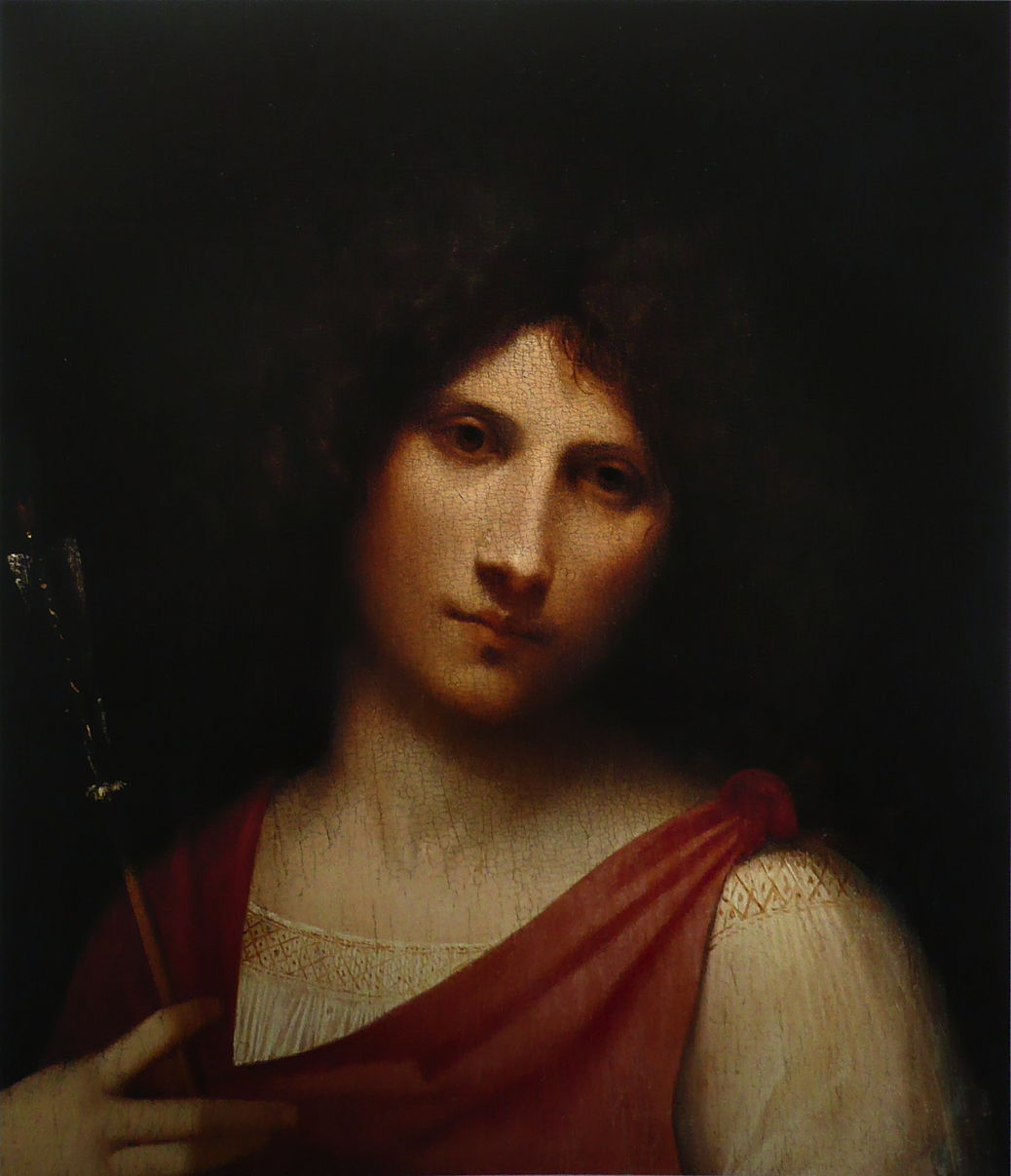
The session covered three requests: proofreading roughly 2,000 words from Charles Dickens’ A Christmas Carol, identifying and describing Giorgione’s Boy with an Arrow, and generating an image of a sleeping Havanese dog before changing its fur and setting. The results were successful in all three cases. A separate Visual Look Up attempt in Preview appeared to recognise an image but returned no information, a problem that seems to affect the current Golden Gate version more broadly.
What the report shows
The AIR contained 18 requests in total: 10 connected with proofreading, four with the painting question and four with image generation. That view matters because the Siri app transcript captured only the text exchange about the painting. For other AI features in this session, the AIR provided the record of how requests were formed and processed.
For proofreading, the system divided the source text into five consecutive chunks of about 400 words each. It sent them to the PCC over roughly 15 seconds. Each chunk appeared first as a Model request containing a prompt and part of the text, followed by a response with the corrected passage. A corresponding PCC request shared the same UUID, giving each pair a clear relationship in the report.
That structure offers a useful way to understand long-text processing: the job wasn’t handled as one large request. Instead, the report exposed a sequence of smaller requests and their results. For someone investigating how the feature behaves, seeing the prompt, response and matching identifier together is more informative than having only the final edited text.
From painting recognition to a sourced answer
The painting request began with Siri identifying the image as “Giorgione Boy with an Arrow painting.” The log showed no obvious PCC involvement in that initial recognition. Siri then performed a web search and returned 15 results, including material from Wikipedia’s article on the artist and a National Galleries of Scotland page about Portrait of an Archer, a related work attributed to Giorgione.
The final answer combined a short response with supplementary interpretations and ended with a standard warning that the answer might contain errors. It arrived in four seconds and was described as accurate and informative. The report makes the sequence legible: image identification led to search results, which fed into the answer. That’s useful context when assessing how a visual question gets answered, though the log alone doesn’t establish the reliability of every source or interpretation.
The full text request and reply were also present in the Siri app transcript. That makes the transcript convenient for reviewing this exchange, while the AIR remains the more useful record for examining the underlying activity across Siri and other AI features.
Image Playground expands short prompts
Image Playground turned the initial request, “a havanese dog fast asleep,” into a much more elaborate description. The generated instruction specified an iPhone photograph of a fluffy Havanese curled on a velvet cushion, with its head on its paws and warm light on its white coat. That prompt transformation took 0.04 seconds, according to the report.
A follow-up asking for “fur darker, landscape” became a direction to change the coat to darker brown and replace the background with a grassy field beneath a blue sky. That step also took 0.04 seconds. Both resulting images matched the requests. The report also exposed input settings including isChildPresent: false and pre- and post-processing safety checks set to true. Those fields provide detail about the request configuration, while the generated prompts show how much descriptive content can sit between a brief user instruction and the image task sent onward.
AIRer’s first full release
AIRer 1.0, build 10, is the first release version following a beta that appeared stable. Its text entries now support selection and copying, though only one section can be selected at a time. That limitation comes from SwiftUI behavior and may feel unusual, but it still allows individual report fields to be copied when needed.
The app now groups the longer Prompt, Response and Pipeline parameters fields into disclosure groups. Each can be collapsed to a single line, reducing the scrolling required when prompts or responses run long. AIRer also changes date presentation to day-month-year and displays times with decimal seconds. The date order may not suit every reader’s local preference, but the extra time precision helps distinguish closely spaced events in a detailed log.
A new export tool saves a complete AIR file in Rich Text format. That gives users a portable document for reading or sharing a report outside the app, alongside the ability to inspect and copy selected sections within AIRer.
AIRer 1.0 for Golden Gate is available as [AIRer101](https://eclecticlight.co/wp-content/uploads/2026/10/airer101.zip), through the site’s Downloads area and on its product page. The practical value of this release is clearer access to the workings behind Apple’s AI features: as the reports accumulate, readable request sequences and export options should make it easier to compare what a prompt asked for with what the system actually processed.


