Sample No. 0076
Cirrus 1.17 Updates iCloud Drive Diagnostics for macOS Sonoma and Later
Cirrus 1.17 adapts its iCloud Drive inspection tools to Apple’s File Provider framework, with clearer log excerpts and support for identifying pinned files.
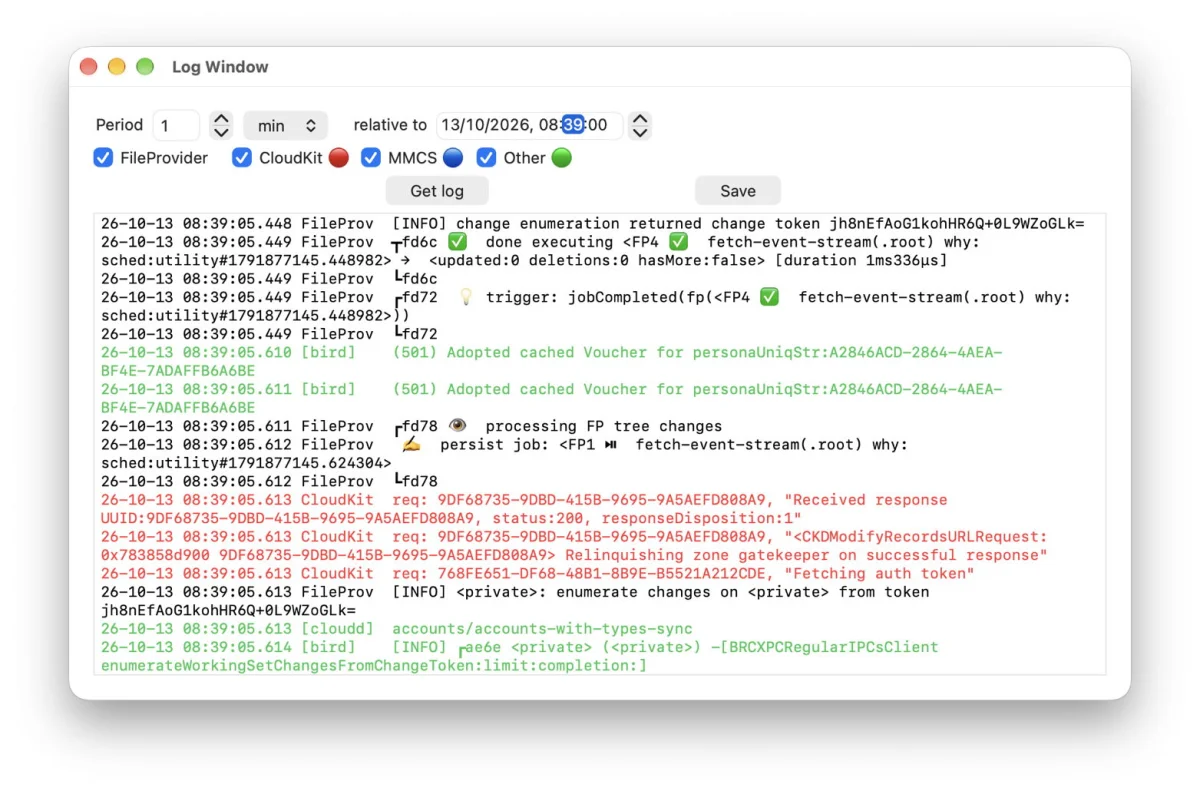
Cirrus 1.17 makes a practical adjustment to an iCloud Drive utility built for a system that has changed substantially since the app first appeared. The update targets macOS Sonoma and later, where iCloud Drive relies on Apple’s File Provider framework. Rather than preserve controls that no longer work well with that framework, the release removes Cirrus’s File menu and concentrates on inspecting files, reviewing relevant logs, checking pinned items and testing uploads.
That change reflects a broader shift in how people manage cloud-stored files on a Mac. Cirrus and its companion Bailiff first offered direct controls to download or evict iCloud Drive files in 2018, before Apple added similar actions to Finder’s contextual menu. Later, Sonoma introduced the File Provider framework for iCloud Drive, and Sequoia added support for pinning files so they remain downloaded. Those changes have made some earlier approaches redundant or unsuitable, while leaving room for a dedicated tool to help investigate sync behavior.
Designed around inspection, not file control
Earlier Cirrus versions could open iCloud Drive files, but the File Provider API prevented the app from downloading or evicting them. The author also reports that these operations could sometimes contribute to resources getting stuck. Version 1.17 therefore removes the File menu entirely. That’s a sensible narrowing of scope: retaining controls that can’t reliably perform their old job would make the app harder to trust, not more useful.
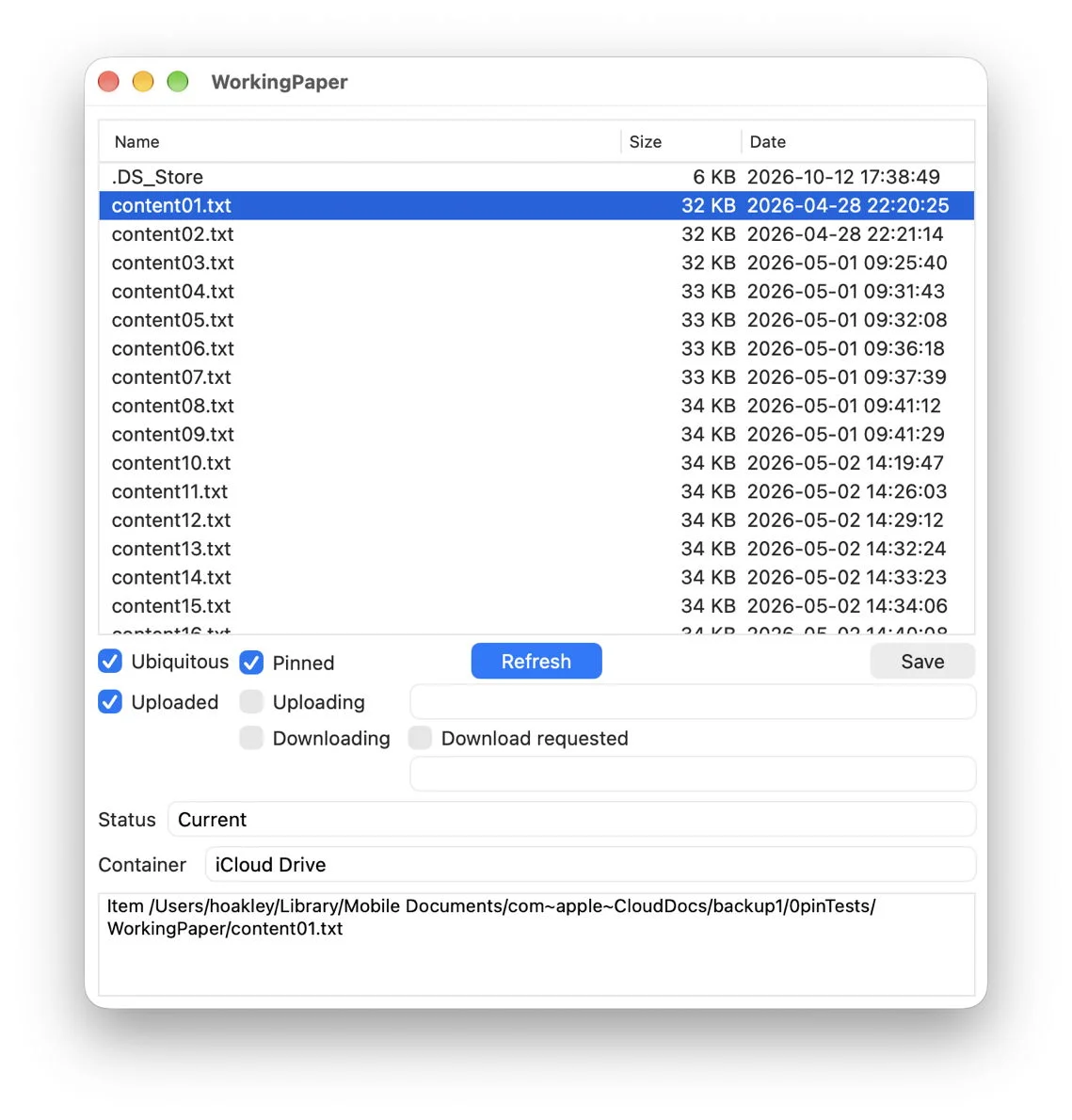
The remaining features focus on observing and testing iCloud Drive rather than trying to manage its underlying file state. Cirrus still offers a browser window with detailed information about files and folders, now including pinned files. A separate log browser presents extracts containing entries relevant to iCloud Drive. The app can also crawl for pinned files and report their number and combined size, as well as upload a test file to iCloud Drive.
For engineers and support teams, that combination is more useful than a generic file browser when a sync issue needs investigation. File details can help establish what the app sees; a focused log extract can provide evidence about activity around a particular time; and a test upload gives users a way to check whether a basic transfer succeeds. The article doesn’t claim that Cirrus can fix every sync problem, and the update is best understood as a diagnostic aid rather than a replacement for Finder or iCloud Drive itself.
Log excerpts take a simpler approach
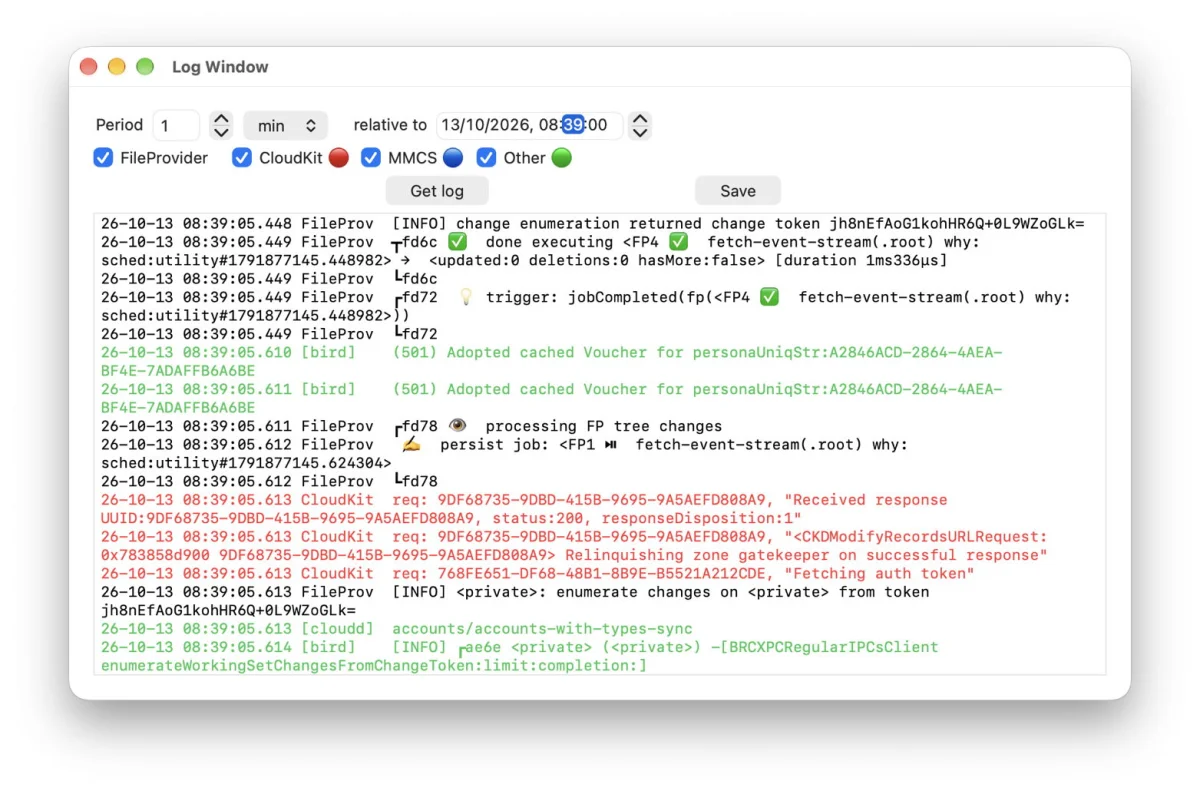
The most concrete workflow improvement is in the log browser. Previously, users had to enter both a start time and an end time for an excerpt. That left room for mistakes when defining the window to inspect. Cirrus 1.17 replaces those two boundaries with a duration relative to a chosen date and time, an approach also used in Mints and LogUI.
Users can set the selected time as the beginning of the excerpt and specify a positive duration afterward. Or they can set it as the end point and enter a negative duration to capture the time leading up to it. The available interval runs from one second to 60 minutes. This is a small interface change, but it matches the way people often investigate a problem: they know when an event happened and want to examine the logs shortly before or after it.
A relative interval also reduces the chance that a manually entered start and end time will form an incorrect or unhelpful range. That doesn’t guarantee that the resulting extract will explain a failure; it does make it easier to collect a bounded slice of relevant activity. The next step will be seeing how Cirrus presents those extracts in practice, particularly when a test upload is used to generate activity for review.
A specific limitation in pin detection
Cirrus’s pinned-file crawler has an important boundary. It identifies files that have been pinned individually by checking for the relevant extended attribute. It doesn’t determine whether a file is pinned indirectly because it sits inside a pinned folder. In that case, the file may be kept downloaded without carrying the attribute Cirrus checks.
Recognizing those inherited pins would require Cirrus to inspect the folders along each file’s path, rather than relying only on the file’s own attribute. The author says that broader check may be addressed later, but for now recommends pinning individual files instead of folders when using Cirrus to inspect pinned items. That recommendation matters if users rely on the crawler’s count or total size: those figures may not represent every file kept available through a pinned folder.
This is the main caveat for teams assessing the new version. Cirrus has added awareness of individual pinned files, but its view of pinning isn’t complete across folder hierarchies. The app remains useful for examining directly pinned items, provided users understand what the crawler does and doesn’t count.
Availability and compatibility
Cirrus 1.17 is available for macOS Sonoma and later, including Golden Gate. The update also includes a rewritten Help book and can be obtained from the download, the product page, or the app’s auto-update mechanism. Users on older macOS versions are advised not to install this release.
The update’s value is less about adding a long list of features than adapting the utility to how iCloud Drive now works. The log browser is easier to configure, pinned files are visible in the app’s inspection tools, and unsupported file-management controls are gone. Users who need to investigate iCloud Drive on Sonoma or later have a more focused tool; those relying on older macOS versions should stay with a compatible release. The key thing to watch is whether a future version can account for files pinned through their parent folders.


