Sample No. 0226
DeltaFree 1.2 Adds CSV Export as Mac Storage Trends Reveal Backup Growth
Two months of DeltaFree measurements show steady backup growth, temporary spikes and storage changes after macOS updates. Version 1.2 adds CSV export.
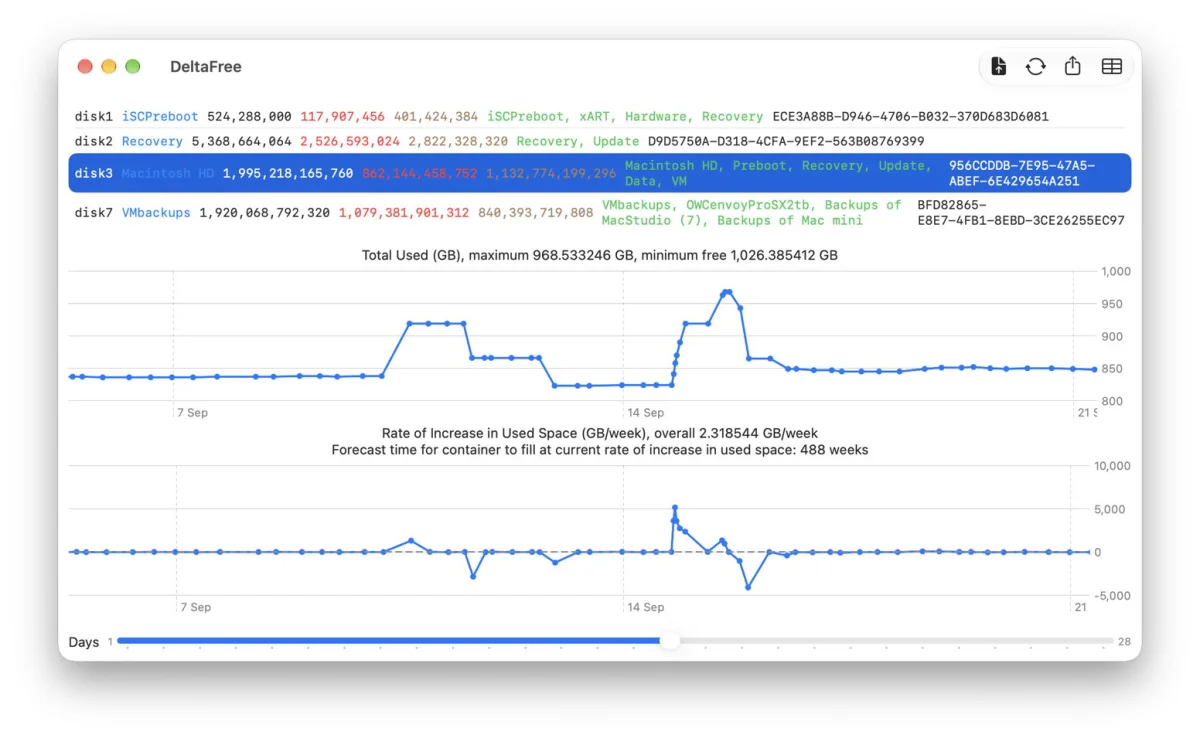
Two months of repeated measurements show why a single free-space reading can give Mac users a misleading picture of storage needs. On one Mac mini M4 Pro, backup storage has grown at a fairly steady pace for much of the tracking period, while the internal SSD has seen wider swings and unexplained temporary spikes. DeltaFree 1.2 adds CSV export for individual storage containers, making those changes easier to inspect in spreadsheet and charting apps.
The measurements began on 8 August and cover the Mac’s internal SSD and external backup storage. DeltaFree runs at least twice a day, saving each set of results to a JSON file. That file now contains 230 measurements and occupies 266 KB. The new export feature lets the user take data for a selected container out of that record as a CSV file, then analyse it with Apple Numbers or DataGraph.
Backup capacity depends on the trend
At the latest reading described, DeltaFree estimated that the backup container was growing by just under 7 GB per week. With 840 GB free, a straight-line estimate puts the remaining capacity at about 121 weeks. That figure is useful as a snapshot, but the plotted history shows why it shouldn’t be treated as a dependable countdown.
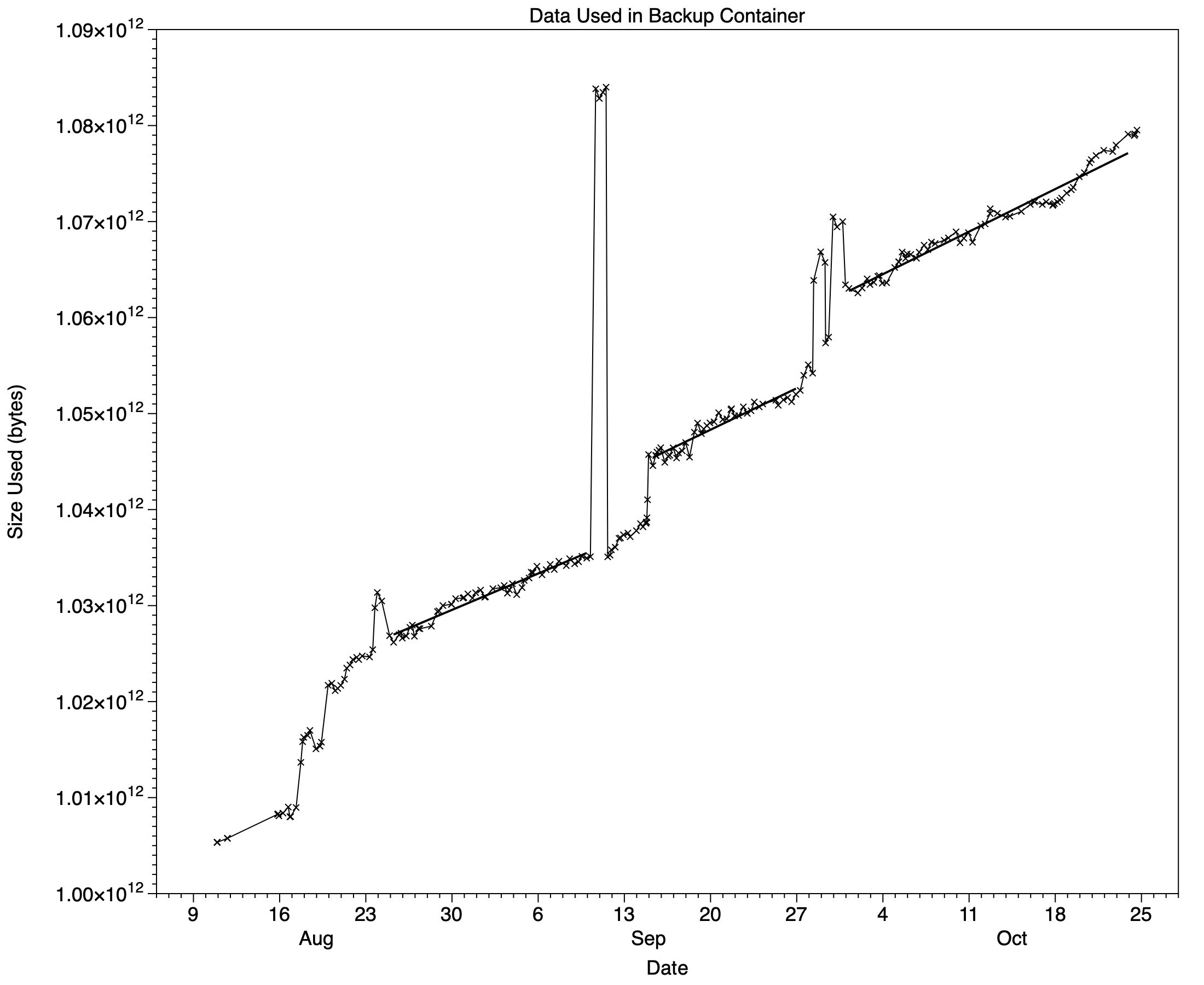
Backup growth was unsettled earlier in August, while the author was migrating production from an old iMac Pro. The rate stabilised later that month, then stayed fairly consistent for much of the remaining period. Three regression segments in the plot capture those stretches. They also sit alongside brief jumps that make a single average less informative.
One large, temporary rise came from a virtual machine created outside the usual VM folder. Because that folder wasn’t excluded from backups, Time Machine included the VM in its hourly backups. The extra storage persisted for about a day before the backup history was thinned and the size returned to its usual level. This is a practical reminder that backup growth can reflect an operational mistake as well as ordinary changes in the files a user intends to keep.
Two other increases remained in place: one on the evening of 14 September and another around 28 September. They coincided with upgrades to macOS 27.0 and 27.0.1. Since Time Machine backs up the Data volume, the operating system updates themselves shouldn’t account for most of the change. App updates installed around the same time, including Xcode and Apple’s non-bundled apps, are possible contributing factors. The measurements show timing, though; they don’t establish which files caused each increase.
The author has since added Xcode to the backup exclusions. Its size and complexity can make it slow to back up, and it can be replaced if needed. That choice illustrates a trade-off for backup plans: excluding large, replaceable files can reduce storage use and backup time, but means those files would need to be installed again after a restore.
Internal storage moves on a different scale
The internal SSD’s main container showed a broader range of change. Free space varied from 1,026.7 GB to 1,171.8 GB, a span of 145 GB, or more than 7% of the SSD’s total capacity. The author uses virtual machines that can take up about 40 GB each, while trying to keep their number on the internal drive low.
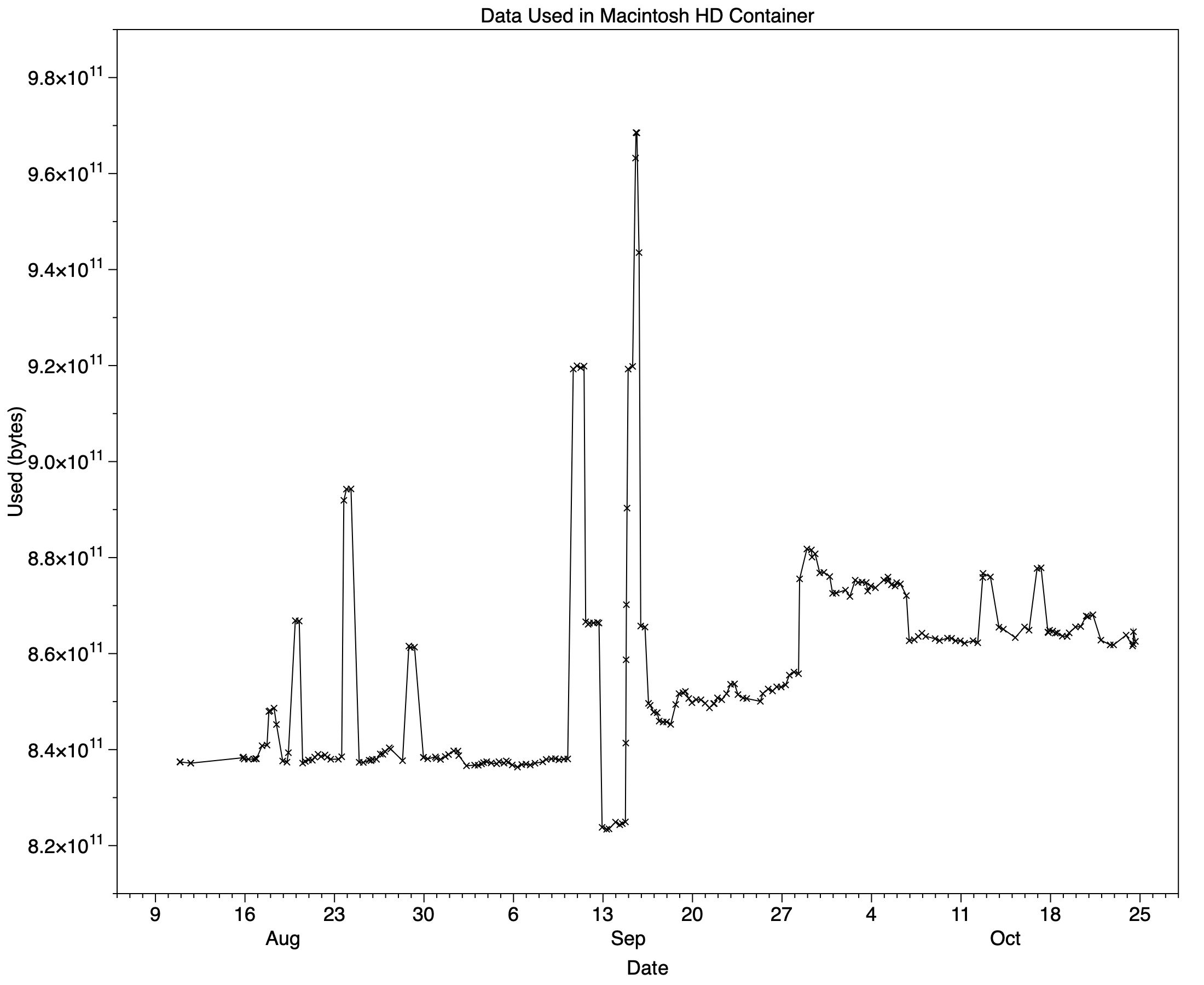
Some of the internal storage pattern resembles the backup chart. Before macOS 27.0, used space was generally around 840 GB. It rose to about 850 GB after that upgrade. Following the 27.0.1 update, it initially reached roughly 875 GB, then later fell back to about 862 GB.
Those figures point to a change across the system, but they don’t identify its cause. The author notes that some of the larger temporary spikes align with creating VMs, while others remain unexplained. As with the backup data, a plotted history can make timing and scale visible without proving which activity produced a particular change.
For people running close to capacity, that distinction matters. A free-space figure taken once can miss a temporary peak or a sustained increase. Frequent measurements provide a better view of whether storage use is settling, climbing or simply fluctuating. They can also help users decide when to review large files, adjust backup exclusions or keep more room available for changing workloads.
CSV export makes the measurements easier to use
DeltaFree 1.2 adds export of a selected container’s data to CSV, along with simple directions in the app window to improve onboarding. CSV is a practical addition for anyone who wants to compare storage changes outside the app: it can be opened in a spreadsheet or brought into a charting tool, where trends and temporary movements are easier to examine.
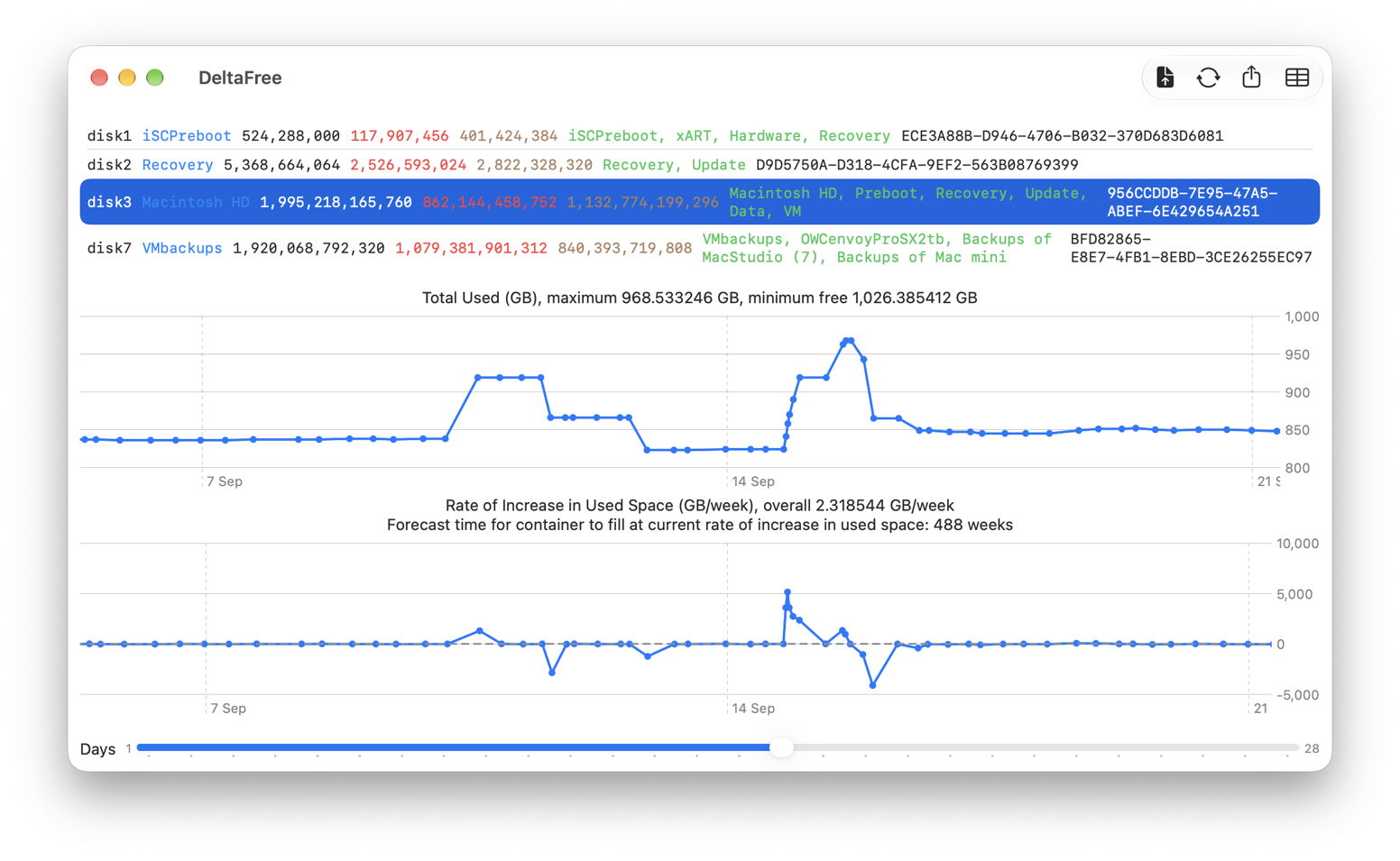
The update is available as deltafree12 and through the site’s Downloads section. The main value of the new export is modest but clear: it lowers the effort involved in turning repeated readings into a useful record. Continued measurements will show whether the changes seen after macOS 27.0 and 27.0.1 persist, and whether the next update shifts the pattern again.


